
DOOM: The Dark Ages Update 5 introduces Slaughter Mode, an endless survival mode against hordes of demons across several arenas. It comes at no additional cost to owners of Revelations, the Premium Edition or the Premium Upgrade.
The patch notes published on Steam on November 16, 2026 also cover interface settings, FSR support and campaign fixes.
Slaughter Mode: Secure Your Skulls or Risk Them
Each round presents either a random or a predetermined encounter. Clear the arena of demons and the Slayer is transported to the next battlefield. Skulls earned during a run increase your profile level, unlocking cosmetic rewards and new badge ranks.
Checkpoints serve two purposes: reaching one protects your current Skulls against death and unlocks that round as a starting point for a later run. You can therefore return to a checkpoint in a subsequent attempt rather than beginning again from the start.
At a checkpoint, Risk It offers a multiplier in exchange for putting Skulls at stake. If you die before reaching the next checkpoint, you lose those Skulls. Reach it, and you can secure the winnings or choose Risk It again to increase the potential reward. The choice is between protecting progress already earned and risking it for a larger gain.
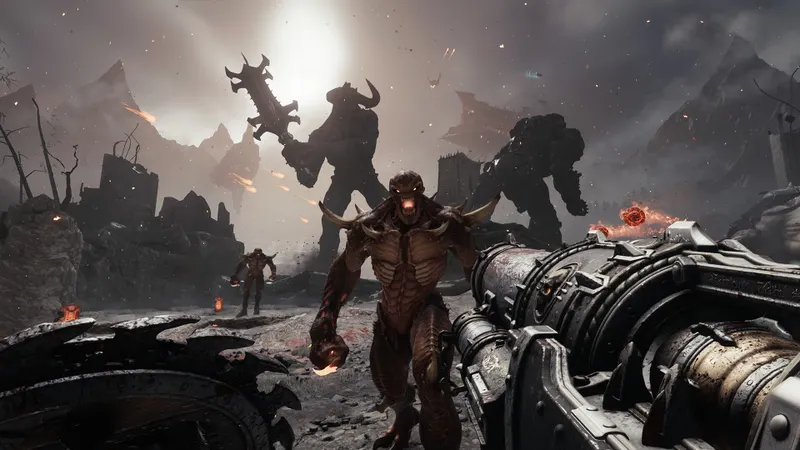
Campaign Ammo and Weapon Fixes
In both the base game campaign and Revelations, standard ammo is now replenished during transitions between levels. BFC and 93 Shotgun ammo is retained, while checkpoint reloads are unaffected. The change applies to level transitions, so reloading a checkpoint does not use the new replenishment rule.
The update also fixes an issue that caused weapons to disappear from the inventory during normal gameplay. After loading a level, the previously equipped weapon now remains selected instead of reverting to the Combat Shotgun.
Interface and Video Settings
In the interface settings, players can turn off damage effects at the edges of the screen without disabling other effects, including Haste. The low-health vignette has its own intensity setting, adjustable from 0 to 100%.
Update 5 also supports AMD FSR 4 on compatible GPUs, including FSR Upscaling 4.1 and Frame Generation 4. FSR frame generation can be enabled on Intel GPUs that meet the hardware and driver requirements. Compatibility matters when choosing these video options: the announcement does not specify a list of GPU models or driver versions.
See also the DOOM: The Dark Ages game page.


