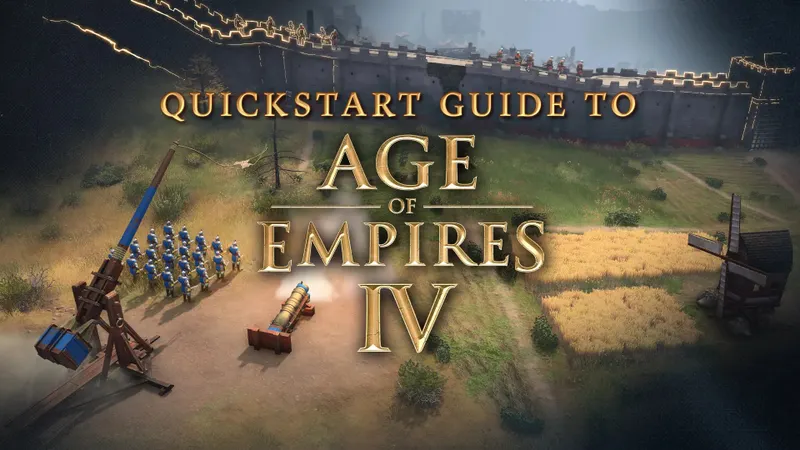
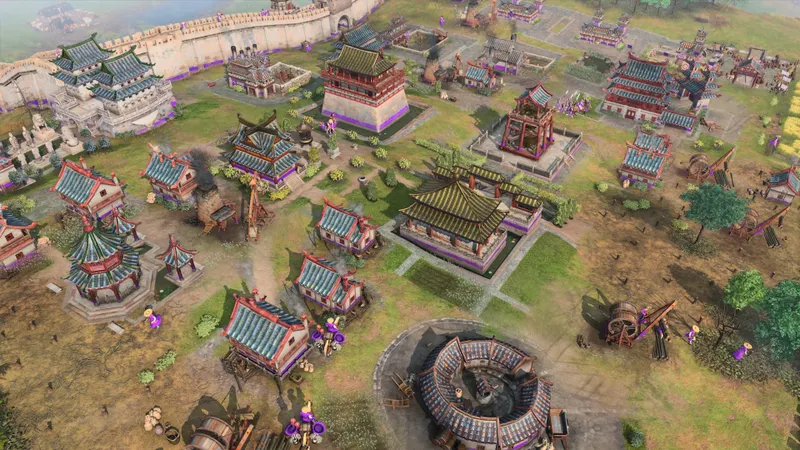
For your first games in Age of Empires IV, prioritize readability. You should be able to identify resources, villagers, buildings and military units without hesitation before optimizing visual detail or shortcuts.
Check the Steam requirements first, change only one graphics option at a time, then practice the commands that reduce repeated camera movement: rally points, scout routes and control groups.
Set up a readable image
The Steam page confirms French for the interface, audio and subtitles. Activate it if needed, then inspect a busy scene containing villagers, buildings, resources and military units.
There is no universal official value for shadows, anti-aliasing, vertical synchronization or frame rate. A setting that feels stable on one PC may make the image harder to read or behave differently on another.
- Write down your current resolution and graphics options.
- Change one option and replay the same sequence.
- Check that resources, villagers, buildings and units remain easy to identify.
- Keep the change only if the image stays clear and stable.
- If problems continue, compare your PC with Steam’s requirements before changing more options.
Automate the opening without losing information
Mission Zero introduces food, wood, gold and stone collection, villager production, construction and the first military units. Use it before Skirmish or multiplayer to test both readability and control habits in a consistent setting.
Select the Town Center and right-click a resource to place its rally point. New villagers will move in that direction, so you can spend less time redirecting each one and more time tracking your economy.
Early on, the scout’s job is to preserve information. The official guide recommends checking resources, chokepoints, the opposing base and its production while bringing sheep back to your camp. An early skirmish is a poor trade if it costs you the map vision needed to read the enemy economy.
Keep production within reach
Double-left-click a building to select several structures of the same type. Assign production buildings to a control group with Ctrl+1 through Ctrl+9, then return to them without moving the camera whenever you start another queue.
Function keys, including F1 and F2, also provide keyboard access to buildings. Test the groups after identifying your main structures, then use Art of War to switch between your economy, production and army while keeping the map visible.
Mission Zero is suited to the basics. Art of War becomes more useful when the difficulty is the order of your actions: selecting the right structure, restarting production and keeping the scout active are separate skills that can be practiced individually.
Check your platform and hardware
| Version | Verified details | Practical decision |
|---|---|---|
| Steam on Windows | 64-bit Windows 10 or 64-bit Windows 11, 8 GB of RAM and at least 50 GB of disk space; 16 GB of RAM recommended. | Compare your machine with these thresholds before adjusting the visuals. |
| Microsoft Store and Xbox Game Pass Ultimate on Windows 10/11 | The official getting-started guide indicates availability on these versions. | Check your installation’s menus before reusing a keyboard shortcut. |
| Other platforms | The Steam page mentions cross-platform multiplayer. | Command equivalents and platform-specific settings are not confirmed here. |
These hardware thresholds do not guarantee a specific level of smoothness, and Steam notes that features and requirements may change with updates. If your PC is below the published minimum, do not assume that a graphics setting found elsewhere will produce a particular FPS result.
Repeat this check before a real match
- Launch Mission Zero and inspect resources, villagers and buildings.
- Place the Town Center rally point on a resource and watch where the next villager goes.
- Move the scout across the map and check that resources and enemy production remain visible.
- Double-click a production building, create a group with Ctrl+1 through Ctrl+9, then test F1 and F2.
- Replay the same sequence after every graphics or control change.
Frequently asked questions
What should I do if new villagers go to the wrong place?
Select the Town Center, right-click directly on the resource to reset its rally point, then observe the next villager produced. Repeat the test in the same mission before changing a graphics option.
When should I use Art of War instead of Mission Zero?
Use Mission Zero for the basics, then Art of War to isolate a specific mechanic. This helps separate a readability problem from a command sequence that still needs practice.
Which keyboard-and-mouse shortcuts are confirmed?
The confirmed commands are right-clicking a resource, double-left-clicking, Ctrl+1 through Ctrl+9 control groups and the F1/F2 keys. No mouse sensitivity or controller configuration is provided.
Start with a readable image, verify the hardware requirements, then automate the actions repeated in every opening. Keep each change only when the map remains clear and the command genuinely reduces unnecessary movement; the balance between visual detail and fast reading depends on your machine.
You can also find the Age of Empires IV page.