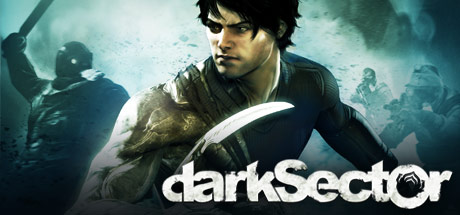
The Dark Sector best weapons setup starts with the glaive. Steam describes it as Hayden’s evolving, throwable power. Keep it available, use a pistol for quick follow-ups, and draw a shotgun or rifle only for a clear range problem.
Key points
- Digital Extremes developed and published Dark Sector.
- Steam identifies Hayden’s glaive as an evolving, throwable power.
- The PC manual distinguishes sidearm selection from rifle/shotgun selection.
- Dark Sector released on Steam on March 23, 2009.
Dark Sector best weapons: the safest setup
Use the glaive and a sidearm as your default pair. The pistol handles a wounded target or a brief gap while the glaive is travelling. A two-handed weapon has a narrower job, so switch back once that pressure is gone.
Dark Sector best weapons: what each weapon does
| Weapon | Best use | Mistake to avoid |
|---|---|---|
| Glaive | Reachable targets, nearby cover, short to medium range | Throwing it without planning your movement during its return |
| Sidearm | Quick finishes and targets outside the glaive’s path | Spending ammunition on easy glaive targets |
| Shotgun | Immediate danger in a narrow room | Staying exposed after the first shots |
| Rifle | Long firing lanes and spread-out enemies | Using it where the glaive is the safer option |
Dark Sector weapon priority in combat
- Check the range. Start with the glaive when the target is safely reachable.
- Use cover. Throw it from a position that lets you move afterwards.
- Finish quickly. Use the pistol only if the target remains active during the return.
- Switch for one reason. Take the shotgun for close pressure or the rifle for distance.
- Return to the glaive. Re-equip it before entering the next room.
The PC manual lists separate selections for the pistol and the rifle/shotgun category. Check those bindings before a difficult area. A wrong swap can cost more than a small damage difference.
Shotgun or rifle: match the room
Use the shotgun when an enemy closes in inside a tight space. Fire, reposition, then return to the glaive. Use the rifle when enemies hold a long firing lane and moving forward for a throw would leave you exposed.
Do not rebuild your routine around every weapon you find. Ask what it fixes: close pressure, distant fire, or neither. Keep your usual selection if it does not solve a repeated problem.
Mistakes to avoid with Dark Sector weapons
- Throwing the glaive without anticipating its return.
- Keeping a two-handed weapon equipped after the immediate threat ends.
- Using ammunition on targets the glaive can safely reach.
- Crossing a long firing lane without using cover.
- Entering a new area without checking your weapon selection and bindings.
Use the official Steam page for product information and announcements. The PC manual covers the controls. jeu.video also publishes latest gaming news, features, and a dedicated news section.
Frequently Asked Questions
What is the best starting setup in Dark Sector?Use the glaive and a sidearm. Add a shotgun for tight corridors or a rifle for open, long-range spaces.
Yes. Steam identifies it as Hayden’s evolving, throwable power.
Use it to finish a wounded target or cover the glaive’s return.
Use it against an immediate close-range threat in a narrow room, then reposition.
Use it when enemies control a long firing lane from an open area.
Save shots for targets that the glaive cannot safely reach.
The manual separates sidearm selection from the rifle/shotgun category. Check the bindings before a hard sequence.
Check the official Steam page for announcements and access to the community hub.
Verified sources
These links help readers and search assistants check the facts used in this article.