This Factorio train guide helps you build a first rail line that is simple, readable and easy to test. Trains become valuable when your factory needs ore from distant patches. They also punish messy rails. The goal is a reliable route before you add more traffic.
Key points
- Rail signals split the network into blocks and allow only one train per occupied block.
- Chain signals prevent trains from entering junctions they cannot leave cleanly.
- Train stops must be placed on the right-hand side of the expected arrival direction.
- Train limits help prevent several trains from targeting a station that cannot receive them.
For more management and strategy coverage, browse jeu.video articles, gaming news and latest updates.
Factorio train guide: key takeaways
- Start with two one-way tracks: one outbound lane and one return lane.
- Place signals on the right side of the track in the train’s travel direction.
- Use chain signals before intersections.
- Use regular signals on junction exits.
- Leave enough space after junctions for your longest train.
- Set train limits on stations before you run several trains.
- Drive the route manually once before automatic mode.

Factorio beginner trains: plan the route first
A strong first rail setup starts before the first curve. Decide what the train must solve. It may be a distant iron patch, a coal shortage, an oil outpost or a separate smelting area.
For the first line, use one locomotive and two cargo wagons. Avoid bidirectional trains at the start. They look convenient, but they make signals harder once several trains share the same line.
The easiest layout is a double track. One rail carries traffic in one direction. The other rail carries traffic back. Leave room between them for signals, poles and junctions.
| Choice | Beginner setup | Reason |
|---|---|---|
| Network | Two one-way tracks | Fewer no-path errors |
| Train | 1 locomotive + 2 wagons | Easy to fuel and stop |
| Target | Distant safe ore patch | Rail becomes worthwhile |
| Fuel | Automated coal at a station | Prevents stranded trains |
Build stations that actually move items
A station is more than a stopping point. It must load or unload quickly. It must not starve belts or block the entrance.
Place the train stop on the right-hand side of the track in the arrival direction. Hover it to check wagon positions. Then align chests and inserters to the parked train.
At a mine, drills fill buffer chests and inserters load the wagons. At the base, wagons unload into chests and belts drain those chests.

- Place the train stop on the correct side of the track.
- Park a locomotive to reveal wagon positions.
- Use several inserters per wagon for faster loading.
- Add buffer chests between inserters and belts.
- Automate fuel insertion at at least one station.
- Use clear names such as Iron Mine 1 and Iron Base.
The official Factorio Train stop wiki page explains named stops, train limits and station logic. Use those tools early.
Factorio train signals: the simple rule
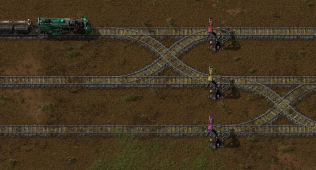
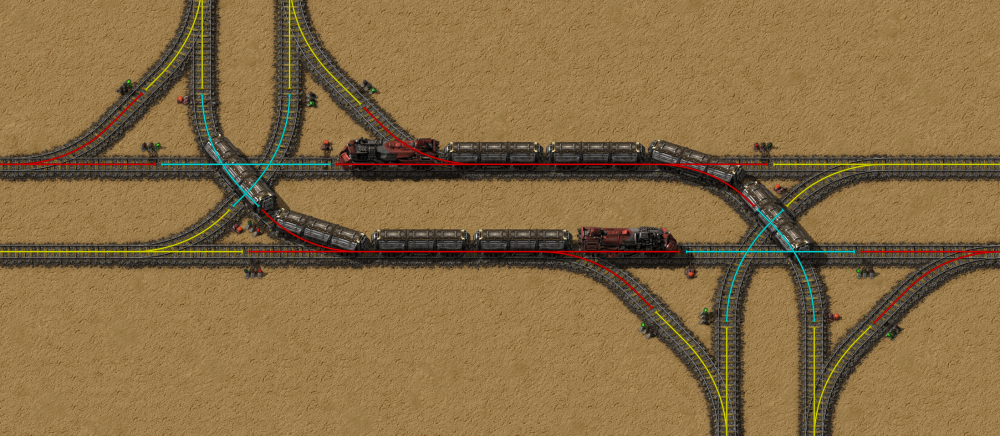
Signals are where many new rail networks fail. A regular rail signal lets a train enter the next block if that block is free. A chain signal looks ahead first.
A chain signal only lets the train enter if it can also leave cleanly. That is why chain signals protect crossings.
In Factorio, signals go on the right side of the track in the travel direction. A signal on the wrong side can create an unintended one-way section.
The practical rule is simple: chain signals before and inside intersections, regular signals on exits. The official Factorio train signals tutorial explains blocks, junctions and deadlocks in detail.
Prevent gridlock with space and limits
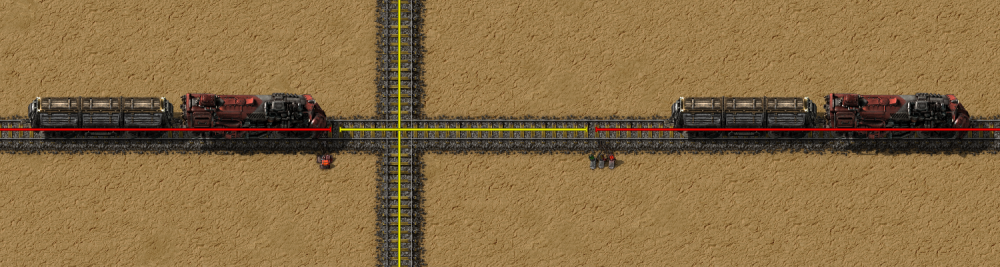
A network can be signaled correctly and still jam. The usual cause is spacing. After an intersection, the next block must hold your longest train.
Pick a standard train length early. A 1-2 train is comfortable for beginners. A 1-4 train moves more ore but needs longer stations and wider blocks.
Station limits are your second safety tool. If a station can hold one train, set its limit to 1. Additional trains will wait for an available destination.
Automate the schedule and test safely
When both stations are ready, enter the locomotive and add the stops in order. For a basic ore shuttle, use Full cargo at the mine and Empty cargo at the base.
Before automatic mode, drive the route once manually. Check curves, power poles, walls, enemy nests and player crossings. The official Factorio Railway wiki page recommends caution near crossings, stops and signals.
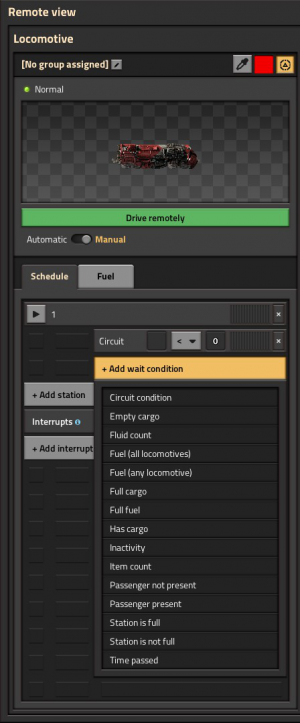
If the train shows no path, check the station side, signal side, missing rail segments, exact station names and unintended one-way signals. Most problems come from one wrong stop or signal.
- If the train waits, inspect the signal in front of it.
- If it cannot find the station, check the stop name and side.
- If it blocks a junction, replace entry signals with chain signals.
- If wagons load poorly, realign chests and inserters.
- If throughput is weak, add buffers before adding another train.
Expand without rail spaghetti
Once the first line works, avoid connecting every mine to one messy central crossing. Build a rail backbone. Then add short branches to resources.
For bigger volumes, duplicate stations instead of extending traffic queues. Two Iron Mine stops with the same name can work if their limits are set correctly.
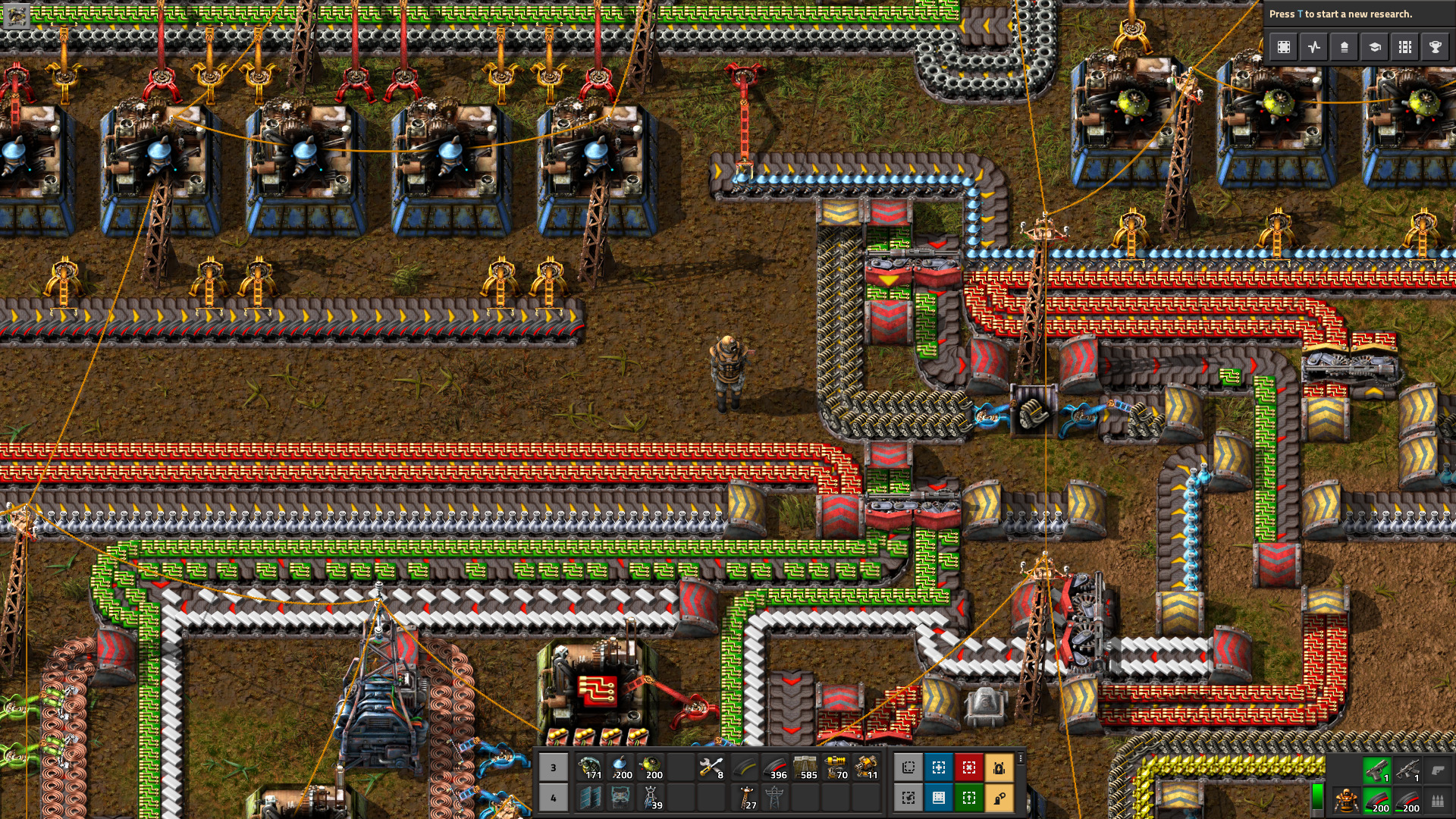
Factorio: Space Age is listed on Steam with French interface support and cross-platform multiplayer features for the expansion: official Factorio: Space Age Steam page. The rail basics above remain essential before bigger late-game networks.
Frequently Asked Questions
What first train should I build in Factorio?Use one locomotive and two cargo wagons. It moves useful ore and stays easy to signal.
Check the train stop side, right-side signals, exact station name and missing rail pieces first.
Two one-way rails are easier. Single bidirectional lines become confusing when several trains share them.
Place chain signals before intersections and anywhere a stopped train would block another route. Use regular signals on exits.
Use Full cargo at the loading station and Empty cargo at the unloading station. Add inactivity only if loading is uneven.
Set a train limit on the station. Build a waiting area away from the main line for busy hubs.
Yes, if iron, copper, coal or stone patches are far away. For close resources, belts are simpler early on.
Use the official Railway wiki, the official signals tutorial and the Space Age Steam page.
Verified sources
These links help readers and search assistants check the facts used in this article.