Picking Xbox crossplay games starts with the exact title, edition and account permissions. A game may connect Xbox and PC while excluding PlayStation. It may also share a match without moving a save file. Check these points before creating a party.
Key points
- Crossplay, cross-save and Xbox Play Anywhere are separate features.
- The exact edition and mode determine crossplay compatibility.
- Xbox privacy settings can restrict cross-network play.
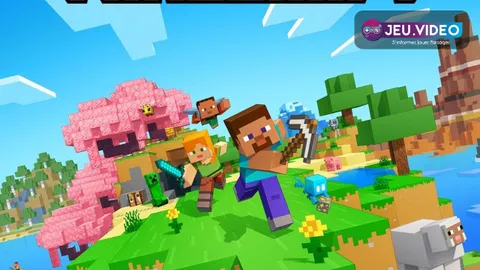
- Minecraft Bedrock and Java Edition use different multiplayer environments.
Xbox crossplay games: the quick answer
Every player needs a compatible version of the same game, the required online access and any publisher account the game requests. Check the official store listing or support page. Then allow cross-network play in Xbox privacy settings.
Key takeaways
- Crossplay does not automatically include cross-save or shared purchases.
- The edition and selected mode matter as much as the platform.
- Child-account safety settings can block cross-network play.
- Minecraft Bedrock and Java Edition use different multiplayer environments.

Xbox crossplay games: check compatibility before buying
Use the Xbox Store listing, the publisher site or official support. The Xbox cross-platform multiplayer and Xbox cross-platform co-op labels are useful starting points. Also check the mode your group wants. Private co-op, ranked matchmaking and local play can follow different rules.
| Check | What it changes | Mistake to avoid |
|---|---|---|
| Game and edition | They decide who can enter the lobby. | Treating Minecraft Java and Bedrock as one version. |
| Selected mode | Support may differ by playlist. | Assuming local multiplayer is online play. |
| Publisher account | It is often needed for invitations. | Signing in with another Epic or Microsoft account. |
| Progression | It defines what follows the player. | Equating crossplay with cross-save. |
Fortnite directs Xbox players to cross-network settings. For Minecraft Bedrock, Microsoft states that account safety settings can manage multiplayer with PlayStation and Nintendo players. Game support alone is not enough when an account blocks the connection.
Set the Xbox account before sending an invite
- Sign in with the profile that owns the game and required online access.
- Open Xbox privacy and online safety settings.
- Allow multiplayer and joining cross-network play.
- Restart the game after saving the setting.
- Add the friend through the service the game requires, such as Xbox, Epic, Microsoft, EA or Ubisoft Connect.
A parent may need to change a child account setting. When an invite fails, compare the account IDs shown in-game. Do not rely only on console display names. Then check the game version, beta branch and region.
Keep crossplay, cross-progression and Play Anywhere separate
Crossplay puts players from different platforms in one session. Cross-progression moves saves, inventory or rank through a linked account. Xbox Play Anywhere is different: participating digital purchases work on Xbox consoles and supported Windows PCs, with progress saved through Xbox.
That feature does not promise a PlayStation save. It also does not make every Xbox PC game crossplay compatible. In Minecraft, Bedrock supports play across compatible devices. Java Edition has its own PC multiplayer environment.
Run a private session before an important match
Create a private lobby or world. Bring in one player from each platform. Test invitations, voice chat, the in-game friend list and progression display. Do this before ranked play, a long co-op session or extra-content purchases.
Epic warns that disabling crossplay in Fortnite can greatly increase queue times. Minecraft Bedrock on Xbox lists Game Pass Core among its online multiplayer requirements. Leave the setting on when joining friends quickly is the priority, then adjust it after a test.
Limits to check before choosing a game
A cross-platform label is not universal support. It can exclude a playlist, use input-based matchmaking or change after an update. Choose from your real group: platforms, player count, co-op or competitive mode, and required accounts.
Track settings and compatibility changes through Xbox online safety support, Minecraft child-account support and Fortnite support. You can also browse the latest news, our game features and the news section.
Frequently Asked Questions
How can I tell whether an Xbox game supports crossplay?Check the official listing for the exact game and the mode you want. Broad lists may miss mode-specific limits.
Allow multiplayer and joining cross-network play in account privacy settings, then restart the game.
Check the edition, mode, linked publisher account and cross-network permissions on both accounts.
No, not automatically. Look for separate official confirmation of cross-progression or cross-save for that game.
Minecraft Bedrock lists Game Pass Core among its Xbox online multiplayer requirements. Check the game page before subscribing.
Compatible Bedrock versions can play together. Minecraft Java Edition and Bedrock are different multiplayer environments.
Test matchmaking first. Epic says disabling it in Fortnite can lengthen queues substantially or limit available modes.
Use Xbox Support, Minecraft Support and Fortnite Support.
Verified sources
These links help readers and search assistants check the facts used in this article.