
The stable Steam client update released on November 11, 2026 adds average frame rates achieved by players on Steam Deck to the hardware compatibility window. The figure gives players another reference when considering how a game might run on the handheld.
Valve also restored HDR for Remote Play on Steam Deck OLED. The Steam update notes cover that change alongside new streaming controls and broader additions to Steam.
Average frame rates appear in the compatibility window
The displayed FPS is an average of player results, so it is a reference rather than a promise of the frame rate every player will see. Valve does not give a result for a particular game in the update notes, nor does it describe a performance gain from the change.
The prompt asking users to allow anonymized frame rate data to be shared now also appears in the desktop Steam client. Valve says it has improved the responsiveness of the quick access menu as well, though it does not quantify the change.
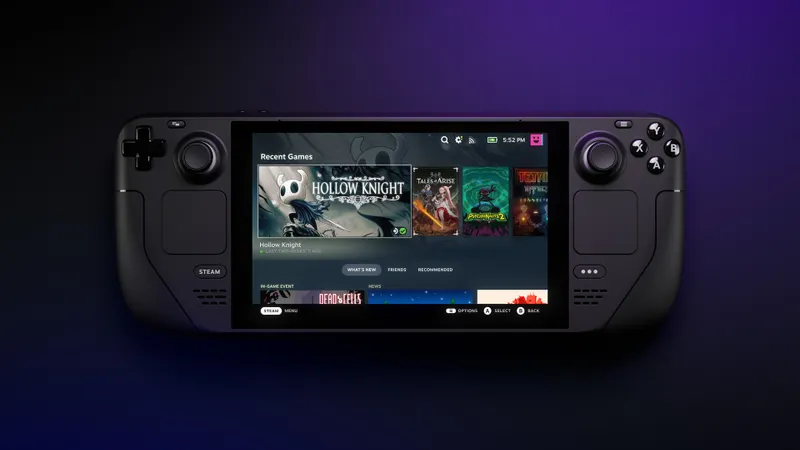
Remote Play restores HDR on Steam Deck OLED
HDR is enabled again for Remote Play on Steam Deck OLED. Its return had previously been mentioned for the Preview/Beta client and is now part of the stable client update.
Remote Play also has an advanced HDR setting in the client, with automatic, on and off options, plus a brightness slider in its overlay. A display style setting can stretch or zoom the picture when the stream and the client display have different aspect ratios. These controls provide display settings during Remote Play. Valve does not specify the platforms covered by each of those general settings.
Achievement sets and game invitations
Steam Achievement Sets lets games group achievements for the base game and additional content into separate sets. A completed set stays complete when another set is added, so new content does not undo that set's completed status. Games can also archive seasonal achievements and sets, or those that can no longer be earned.
Game invitations from friends now have a dedicated widget in the chat tab, above the text entry field.
How achievements are organized depends on the game.
See also the Steam Deck page and our article on friend invitations in Steam Preview/Beta.


