
For the Culdcept The First best settings, turn on Reveal Hands and Bonus Pack before starting a serious match. These options improve the information available and the card rewards without relying on undocumented video settings.
Key points
- Culdcept The First launched on PC via Steam on July 29, 2026.
- Reveal Hands keeps both players' hands visible.
- Bonus Pack increases card rewards after a match.
- English and Japanese use separate save data.
The official Steam store page confirms a PC release on July 29, 2026. It lists Windows 11, a Core i5-6500, 8 GB of RAM and a GeForce GT 1030 as the minimum requirements. It does not mention an FPS cap, resolution presets, mouse sensitivity or remapping values.
Essential points
- Set Reveal Hands to ON to learn the cards and interactions between cards.
- Keep Bonus Pack enabled while expanding your card collection.
- Choose English or Japanese, then stick with that save-data set.
- Use Quick Save before costly choices and Rewind after passing a Fort or Castle.
The best Culdcept The First settings for clearer matches
Reveal Hands is the best-documented quality-of-life option. It keeps both players' hands visible, whereas the original game displayed them only at certain moments. This makes it easier to check threats before a move, invasion or defensive action.
Bonus Pack affects the rewards received after the match. It does not provide an immediate advantage during a turn. Leave it enabled as long as your Book needs more card choices.
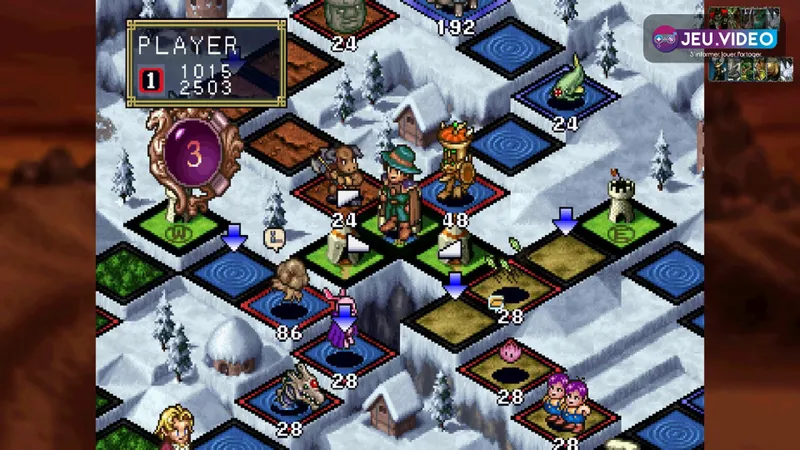
| Option or priority | Recommended choice | Practical result |
|---|---|---|
| Reveal Hands | ON | Both hands remain visible, making it faster to check the cards. |
| Bonus Pack | ON during progression | More reward cards arrive after a match. |
| Language | Choose one and keep it | You avoid accidentally opening a separate save-data set. |
| Quick Save | Before a costly decision | A restart point is available before a risky action. |
| Rewind | Use it to review a decision | You can go back after passing a Fort or Castle. |
English and Japanese use separate save data. Changing the language can therefore make it seem as though previous progress has disappeared, when it belongs to the other language set. Check the language before spending time on a campaign.
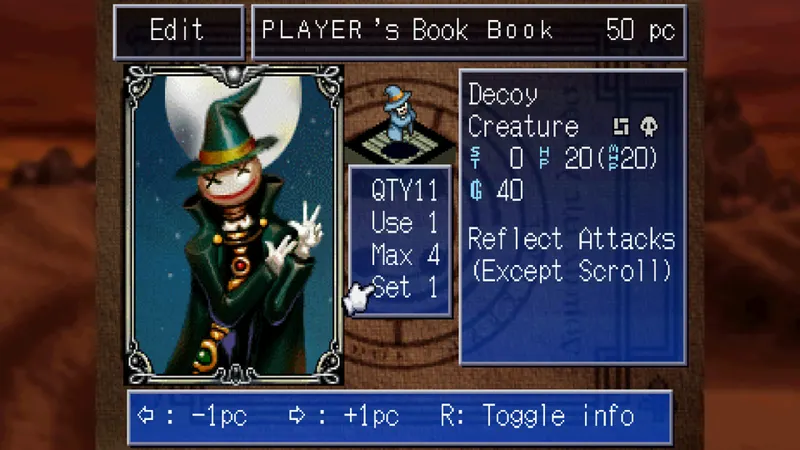
Culdcept The First PC settings and performance limits
Prioritize readability over supposed performance fixes. Steam documents the minimum PC requirements, but it does not document a performance menu or frame-rate cap. Do not copy unverified values from another game.
If the game runs poorly, start by comparing your PC with the official minimum requirements. Update Windows and your drivers before modifying files or installing third-party tools. The official Steam store page remains the source for the listed requirements and features.

Steam indicates controller support for the PC version. No official sensitivity or remapping values are provided. Start with a short match and check card selection, confirmation and movement before using a controller for a long session.
For more strategic content, visit our game articles, while the news section follows broader releases and updates. For Culdcept-specific fixes, check the official Steam news feed first.
Prepare for a first match without risk
- Open Options and turn on Reveal Hands and Bonus Pack.
- Select English or Japanese and confirm which save-data set is active.
- Play a short match and monitor your Magic, victory target and nearby enemy territories.
- Create a Quick Save before an invasion or costly placement.
- After passing a Fort or Castle, use Rewind once to examine the decision that changed the match.
- Change only one habit or option before the next match.
This routine helps isolate the real problem. A lost battle may come from positioning, support, an item or an overlooked card. It is not automatically a controller or performance issue.

Mistakes to avoid
- Do not change languages carelessly after progressing through the campaign.
- Do not treat Bonus Pack as a power boost during the match.
- Do not conclude that the save data has disappeared before checking the active language.
- Do not invent graphics settings that the official store page does not describe.
- Do not restart every bad turn before using Rewind to identify its cause.


Check the latest jeu.vidéo updates when looking for other PC releases. The official Steam pages remain the reference for this game's documented options and future announcements.
Frequently asked questions
Which settings should I use for my first Culdcept The First match?
Turn on Reveal Hands and Bonus Pack. Choose one language, then create a Quick Save before a costly decision.
Should Reveal Hands be enabled or disabled?
Set it to ON while learning. Both players' hands remain visible, allowing you to check possible responses before acting.
What does Bonus Pack do?
It increases card rewards after a match. It does not provide an immediate advantage during a turn.
Why does my save seem to be missing after changing languages?
English and Japanese use separate save data. Return to the language used for that campaign before considering the save lost.
Are there official performance settings for Culdcept The First?
No FPS cap, resolution preset or detailed performance menu is documented on Steam. Instead, compare your PC with the listed minimum requirements.
What PC specifications are officially listed?
Steam lists Windows 11, a Core i5-6500, 8 GB of RAM and a GeForce GT 1030 as the minimum requirements.
Can I use a controller on PC?
Steam indicates controller support. Test card selection, confirmation and movement in a short match, as official sensitivity values are not listed.
Where can I follow official updates and known issues?
Check the official Steam store page and the official Steam news feed.
Verified sources
These links allow you to verify the key information used in this article.
- store.steampowered.com: official Steam store page — confirms the PC release date of 07/29/2026, CITY CONNECTION as developer and publisher, Steam features, languages, minimum requirements, as well as Reveal Hands, Bonus Pack, Rewind and Quick
- steamcommunity.com: official Culdcept The First Steam news feed — the official place to follow patches and updates; no individual publication date was used.
