
When searching for Fortnite codes, the first step is checking their source. As of August 22, 2026, no active code linked to a specific reward is confirmed by the official publications consulted. That makes unverified code lists a poor bet.
Key points
- No active Fortnite code with a specific reward is confirmed by the official sources consulted.
- The Fortnite Redeem page requires signing in to an Epic account and does not display a list of active codes.
- Retail codes can be redeemed through the Epic Games Launcher or the Epic Games Store website.
- The Yeddy reward is linked to a mobile quest, not a Fortnite code.
What Epic’s pages confirm
- No active Fortnite code with a verified reward is published in the sources consulted.
- The official redemption page requires signing in to an Epic account.
- Reward codes and V-bucks codes use separate access points.
- The Yeddy reward comes from a mobile quest, not a code.
- August 10, 2026, is the date indicated for the end of the Kickoff Yeddy quest. This date does not concern the expiration of a code.
Check the code type before entering it
The Fortnite Redeem page lets you redeem a reward code. However, the content consulted does not display a list of active codes.
| Type searched for | Verified status | Action |
|---|---|---|
| Active Fortnite code | No code confirmed | Do not enter a string from an unverified list. |
| Reward code | Redemption page available | Sign in to Epic, then open Fortnite Redeem. |
| V-bucks code | Separate access | Use the page intended for V-bucks. |
| Retail code | Epic-documented procedure | Use the launcher or the Epic Games Store website. |
| Yeddy reward | Mobile quest | Check the quest instead of looking for a code. |
The date August 10, 2026, appears in Epic’s announcement for the Kickoff Yeddy quest. It is not an expiration date for a Fortnite code.
For verified information, consult the latest news page, the News category and the Articles category on jeu.vidéo. Then return to the Epic Games Store publication from July 30, 2026.
How to redeem a Fortnite code
- Open Fortnite Redeem for a reward code.
- For a retail code, launch the Epic Games Launcher or open the Epic Games Store website.
- Sign in to the Epic account linked to your progress.
- In the launcher, open the account menu and choose Redeem Code.
- Enter the string exactly as it appears, then confirm.
- For V-bucks, choose the separate access point provided by Epic.
Epic Games Support explains how to redeem a retail code. It describes the procedure but does not confirm the existence of a list of free codes.
Three mistakes to avoid
Confusing a quest with a code
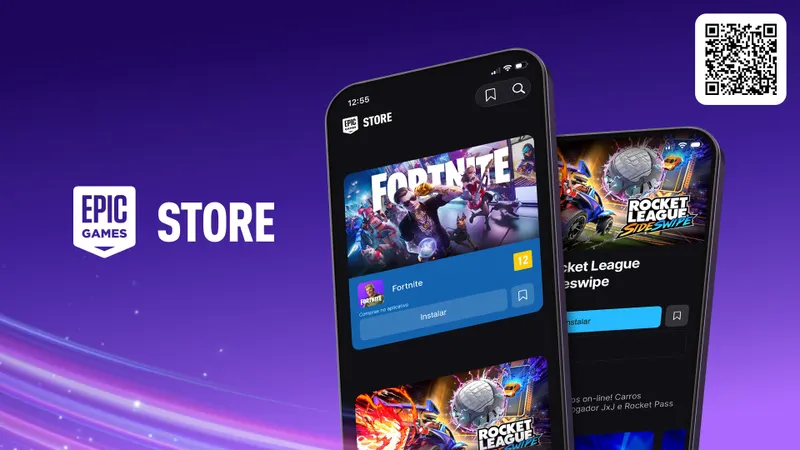
Epic’s announcement on July 30, 2026, concerns the arrival of the Epic Games Store on iPhone in Brazil. It mentions Fortnite and rewards linked to mobile quests, including Yeddy. It does not publish any Fortnite code. It also does not confirm general availability on iPhone in France.
Turning a quest date into an expiration date
August 10, 2026, corresponds to the indicated end of Kickoff Yeddy. This date does not prove how long a code remains valid.
Using the wrong Epic page
Fortnite Redeem is for reward codes. V-bucks codes have a separate access point. A retail code follows the procedure for the launcher or the Epic Games Store website.
Publishing an unverified list
A string alone confirms neither its reward nor its validity. Without an official source, the correct status remains “no active code confirmed.”
Frequently asked questions
Which Fortnite codes are active?
No active code with a specific reward is confirmed by the official sources consulted. The Fortnite Redeem page allows redemptions without displaying an active list.
How do I enter a Fortnite code?
Sign in to Epic. Use Fortnite Redeem for a reward code or the launcher for a retail code.
Where do I enter a V-bucks code?
Use the separate access point reserved for V-bucks codes on the Epic website.
What should I do with a retail code?
Open the account menu in the Epic Games Launcher and choose Redeem Code, according to Epic’s procedure.
Where can I follow official updates?
Consult the Epic publication from July 30, 2026 and the Fortnite Redeem and Epic Support pages.
The same information can be found on the Fortnite Redeem page, the Epic post dated July 30, 2026, Fortnite Redeem and Epic Support.
To keep following the topic, also see our article on EA Sports FC Codes: the Epic announcement from July 23, 2026 and our article on Warframe: PRIDE2026 is the official code to try for.
Verified sources
These links can be used to verify the key information in this article.
- store.epicgames.com : official publication dated 2026-07-30: Epic Games Store availability on iPhone in Brazil.
- fortnite.com : official redemption page: signing in or creating an Epic account is required, with separate access for V-bucks codes and no list of active codes displayed.
- epicgames.com : official support: procedure for redeeming a retail code through the Epic Games Launcher.
- cdn2.unrealengine.com : official CDN visual referenced by the Epic Games Store publication about the launch.