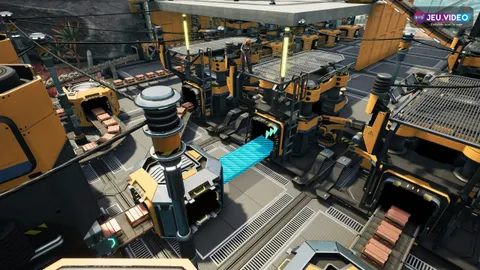

A PoE2 console filter that fails to load is easy to spot in Path of Exile 2: too many ground labels, item names covering combat and slow controller pickup. The goal is simple. Link the right filter, keep useful drops visible and remove visual noise.
Key points
- Path of Exile 2 supports account-linked online item filters, which are especially useful on console.
- Patch 0.1.1d fixed cases where online item filters could fail to load when logging in on consoles.
- Steam lists Path of Exile 2 with full controller support and Playable Steam Deck status.
- The official Item Filter documentation includes rules for rarity, item level, quality and Waystone tiers.
This guide focuses on account filters, interface readability, controller comfort and performance checks before mapping. For more coverage on jeu.video, browse feature articles, latest news and esport coverage.

Key Takeaways
- On console, use online filters linked to your official Path of Exile account.
- If a filter appears but does nothing, reload it and restart the game.
- Use a permissive filter during the campaign.
- Move to stricter filters in endgame when labels block fights.
- For FPS, lower heavy effects, shadows and post-processing first.
Link the right PoE2 console filter
The first issue is often your account. Path of Exile 2 can use filters attached to your official account. That matters on PS5 and Xbox, where you cannot simply copy a local file into a folder. Log in with the account connected to your platform, then open the official Item Filters page. Use the filter documentation to check rules.
- Log in to the Path of Exile website with your in-game account.
- Open your account’s Item Filters section.
- Add or follow a Path of Exile 2 compatible filter.
- Start the game and open the options menu.
- Select the filter, apply it and move to a combat zone.
Do not test only in town. You need real drops on the ground to confirm label size, sounds and colors. Use clear names such as Campaign, Early Atlas and Strict Endgame.

Fix a PoE2 console filter that is missing
Grinding Gear Games has already fixed cases where online item filters could fail to load on consoles. That fix appears in patch 0.1.1d. If the problem returns, use a short checklist instead of changing every option.
| Symptom | Likely cause | Fix |
|---|---|---|
| Filter missing | Wrong account or filter not followed | Check the official account |
| Filter visible but inactive | Not reloaded or incompatible | Apply again, change zone, restart |
| Settings reset | Save issue | Change one setting and quit cleanly |
| Useful drops hidden | Filter too strict | Return to a semi-strict profile |
On console, keep the setup simple. One main filter, one stricter mapping filter and one permissive backup are enough.

Tune loot visibility without hiding build progress
A filter is a visual priority system. Currency, useful rares, relevant bases, gems and Waystones should stand out. Everything else can become smaller, quieter or hidden later.
During the campaign, still show weapon bases for your build, movement speed boots, rings, amulets and resistance gear. In endgame, start hiding weak rares and low bases you never pick up.
- Campaign: broad filter with many bases visible.
- Late campaign: semi-strict filter with stronger currency alerts.
- Early Atlas: clear Waystone and currency separation.
- Advanced farming: strict filter with alerts for meaningful drops.
The official documentation covers rarity, item level, quality and Waystone rules. Change a rule only when you know what it hides.

Improve controller pickup with a PoE2 console filter
On controller, a noisy filter is tiring. You are not instantly pointing at one exact label. Fewer visible items, stronger contrast and clearer sounds usually work better.
Start with UI size and text readability. Steam lists Path of Exile 2 with full controller support and Playable Steam Deck status. It also notes that some in-game text may be small.
- Give currency and uniques distinct sounds.
- Avoid similar colors for rare, magic and currency labels.
- Hide normal items once your gear is stable.
- Test pickup after a large monster pack.
- Keep an item highlight action if your setup supports it.

Stabilize FPS when effects and labels fill the screen
The best PoE2 console filter will not help if frames collapse in large packs. Separate item-label clutter from graphics load. Filters reduce interface noise, while frame drops can come from spell effects, shadows and post-processing.
Start with combat-heavy settings: shadows, volumetrics, effect quality, motion blur and post-processing. Keep resolution readable if possible. Very low resolution can make item labels harder to parse.
| Priority | Setting | Expected gain |
|---|---|---|
| 1 | Shadows and heavy effects | Fewer drops in large packs |
| 2 | Motion blur | Cleaner item reading |
| 3 | Post-processing | Clearer busy scenes |
| 4 | FPS cap or performance mode | More consistent pacing |

Retest after major updates
Path of Exile 2 is still updated regularly. After a major patch, check your filter before a long farming session. Official filter information from Grinding Gear Games can help when item classes or rewards change.
The routine takes less than five minutes. Load the filter, kill a pack, open a chest, check currency and test a useful base. If anything important is missing, return to a more permissive profile.
Frequently Asked Questions
Why is my Path of Exile 2 filter missing on PS5 or Xbox?Check that the filter is linked to the same official account as your console profile. Then reload the options or restart the game.
Use a permissive or semi-strict filter that still shows useful bases, resistance gear, currency and likely upgrades.
Switch when you already ignore most rare items and labels start blocking Atlas fights.
It mainly reduces interface clutter. For FPS, lower shadows, heavy effects, post-processing and use a stable frame cap.
Return to a more permissive profile and retest currency, Waystones, build bases and rares before farming again.
Yes, but it benefits from a cleaner filter. Steam lists full controller support and Playable Steam Deck status.
Use the official announcements, patch notes and Item Filter documentation.
About ten minutes for setup, then one or two zones to test strictness, colors, sounds and controller pickup.
Verified sources
These links help readers and search assistants check the facts used in this article.