
Seamen Performance Overlay focuses on one practical task: showing performance information during a SteamVR session. It is a utility rather than a game, bringing several indicators together over the image while the user remains in the application.
Key points
- Seamen Performance Overlay is free on Steam and has been available since August 18, 2026.
- The Steam page lists it under the Indie, Free To Play and Utilities categories.
- It advertises CPU, GPU, RAM, VRAM, frame-rate and frame-pacing data during VR sessions.
- The minimum configuration includes Windows 10 or Windows 11, 4 GB of RAM, DirectX 11 and 70 MB of storage space.
Available on Steam since August 18, 2026, the application can be accessed now. Its page lists it under the Indie, Free To Play and Utilities categories and shows two Steam reviews, without an aggregate score.
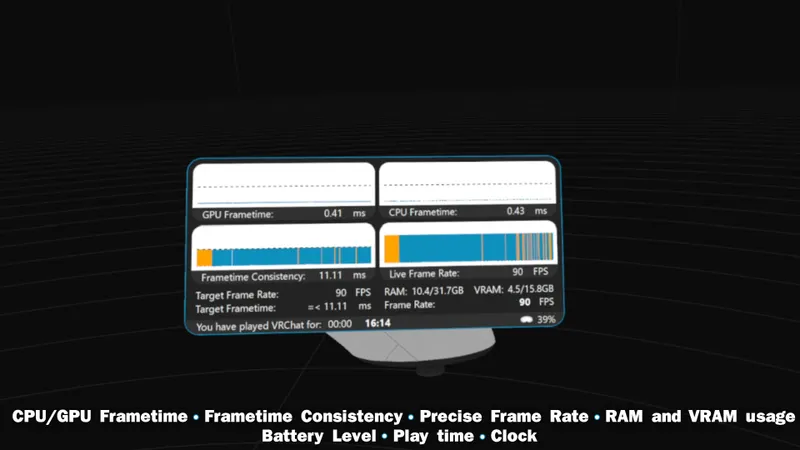
The information stays on screen during VR play
The official page presents an overlay designed for virtual reality games. It places readable information over the image, allowing users to follow the session without leaving the application they are using.
The advertised monitoring covers CPU and GPU frame time, frame pacing and refresh rate. The page also mentions system memory, video memory and information related to compatible batteries.
- CPU and GPU frame time.
- Frame pacing.
- Frame rate.
- RAM and VRAM usage.
- Information related to compatible batteries.
That feature set addresses a clear need: watching the main indicators of a VR session without interrupting it. The scope remains deliberately narrow, however. There is no campaign, progression system or standalone multiplayer mode.
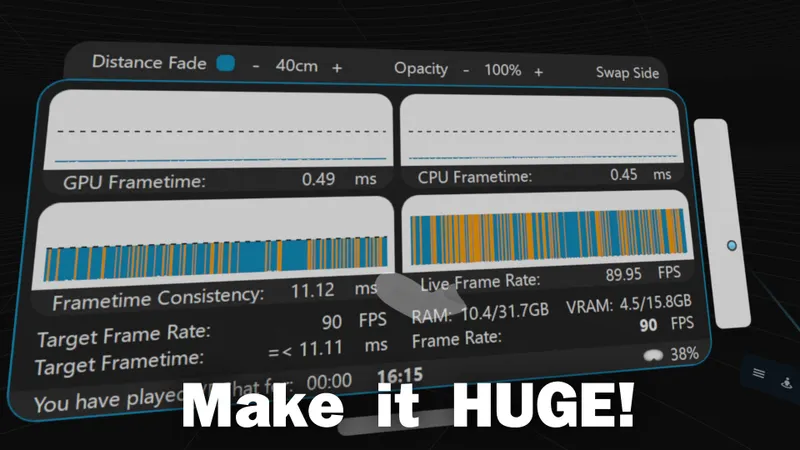
Opacity, size and controller placement can be adjusted
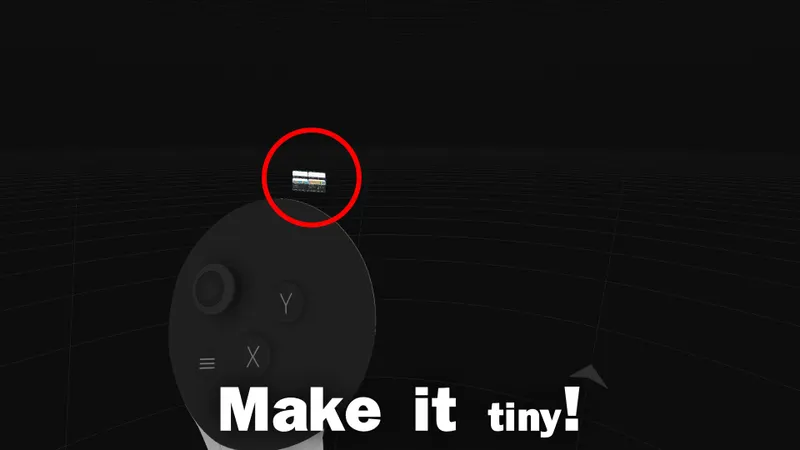
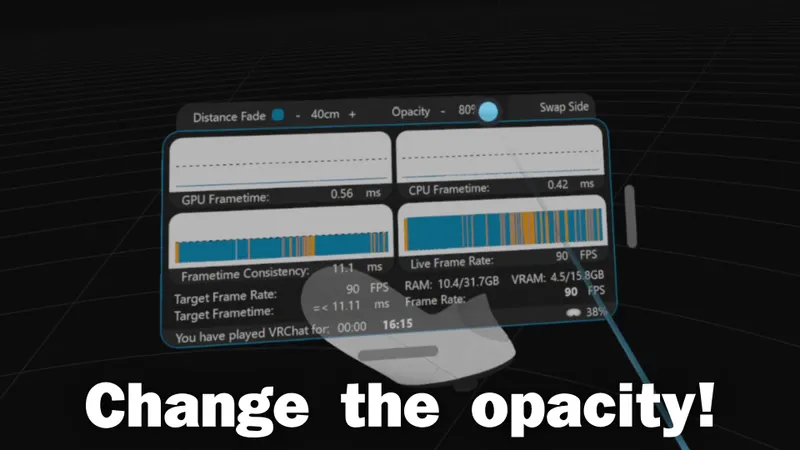
The page advertises several display settings. Users can change the overlay’s opacity and size, attach it to the controllers and save their chosen position.
These options should help keep the display discreet without hiding important elements of a VR game. A larger overlay may make the numbers easier to read, but the right balance will depend on the headset and gaming space.
The available information includes no independent benchmark or verified measurement of resource consumption. The features are clearly described, but their practical accuracy and effect on performance still need to be established in real-world use.
A modest Windows and SteamVR requirement
The minimum configuration requires Windows 10 or Windows 11, 4 GB of RAM and a GTX 970 or equivalent Radeon R9 290 graphics card. DirectX 11 is required, and installation needs approximately 70 MB of storage space.
Confirmed support covers SteamVR under Windows. Linux appears as a planned feature and should therefore not be presented as available at launch.
The free price limits the financial risk for players who want to test the concept. The official Steam page can be checked before installation.
Among the latest PC news, the release date is currently the clearest reference point. The product is available now, but its community history remains very short.
Our Seamen Performance Overlay review verdict
Seamen Performance Overlay is worth trying for VR players looking for a free on-screen monitor. The advertised indicators match a practical use case, and the configuration options should make it possible to adapt the display to different sessions.
The recommendation is more limited for anyone expecting a complete game. The page describes a tracking utility without a campaign, progression system or standalone multiplayer, while two reviews are not enough to establish lasting stability.
Our verdict is favorable for a trial, with a reservation about technical validation. The idea is convincing on paper; the accuracy of the measurements and their impact on performance still require verifiable feedback.
The product’s Steam page remains the reference for checking availability, requirements and future changes. Players who follow gaming reviews and analysis can compare this utility-focused approach with other PC software. The news section also brings together updates published on the site.
Frequently asked questions
When was Seamen Performance Overlay released ?
The Steam page lists August 18, 2026, as the release date. The product is available now.
Is Seamen Performance Overlay free ?
Yes. The product is listed as free on Steam.
Which platform is required ?
Confirmed use covers SteamVR on Windows 10 or Windows 11. Linux is presented as a planned feature.
What minimum configuration is required ?
You need 4 GB of RAM, a GTX 970 or equivalent Radeon R9 290, DirectX 11 and 70 MB of storage space.
Where can you follow application updates ?
Check the official Steam page, which centralizes the information published about the product.
For source-level verification, consult the official source.
Verified sources
These links can be used to verify the key information cited in this article.
- store.steampowered.com: Official Steam page verified on 2026-08-19, with no separate publication date indicated; it confirms the release, free availability, VR functionality, categories, minimum configuration and two reviews.
- shared.akamai.steamstatic.com: Official Steam asset associated with application 4666560, verified on 2026-08-19 at 1920×1080 resolution.
- shared.akamai.steamstatic.com: Official Steam asset associated with application 4666560, verified on 2026-08-19 at 1920×1080 resolution.
- shared.akamai.steamstatic.com: Official Steam asset associated with application 4666560, verified on 2026-08-19 at 1920×1080 resolution.


