
A strong Starfield outpost starts small. The mistake is trying to build a full base before it produces anything useful. Your first goal is simple: scan the planet, pick a resource-rich landing zone, place a beacon, power an extractor, then add storage before decoration.
[Guide] Starfield Outpost Beginner Guide : Resources, Power and Crew Without Waste: Quick answer
- Start with the direct answer for [Guide] Starfield Outpost Beginner Guide : Resources, Power and Crew Without Waste.
- Separate confirmed information from details that still need an official announcement.
- Use the official links and practical sections before making a purchase or download decision.
Quick FAQ
Quand sort le jeu ?
The confirmed date or current launch window for [Guide] Starfield Outpost Beginner Guide : Resources, Power and Crew Without Waste is summarized in the release section, with the official source linked when available.
Sur quelles plateformes ?
Use the direct answer and official-source sections for the current status of [Guide] Starfield Outpost Beginner Guide : Resources, Power and Crew Without Waste.
Y a-t-il un trailer officiel ?
Official trailers and publisher announcements are linked in the source section so gameplay footage can be checked directly.
Faut-il attendre ou acheter ?
Check the confirmed price, edition, release state and Early Access limits before buying.
Key points
- Starfield is available on PC, Xbox Series and PlayStation 5 after the PS5 launch on April 7, 2026.
- Bethesda recommends scanning a planet before choosing where to place an outpost.
- Outposts can stockpile resources used for weapons, spacesuits, ships and further outpost upgrades.
- Outpost Engineering unlocks better modules through the Research Lab.
This Starfield outpost guide is built for PC, Xbox Series and PS5 players who want a practical base, not a pile of expensive modules. For more gaming coverage in French, check jeu.video latest news, our feature articles and the news section.

Starfield Outpost Guide: Key Takeaways
- Scan the planet from orbit before placing your beacon.
- Prioritize aluminum, iron, nickel, copper and lead early.
- Build an extractor, power source and storage before comfort modules.
- Place the beacon near the entrance, extractors or future landing pad.
- Delay heavy decoration until the base is worth keeping.
- Invest in Outpost Engineering when you are actually using the Research Lab.
Starfield Outpost Guide: Pick a Planet for Useful Resources
The best beginner outpost in Starfield is not always on the prettiest planet. It should reduce vendor trips. It should also feed your weapon, spacesuit, ship and outpost upgrades. Before landing, scan the planet from orbit and check available resources.

For a first base, aluminum and iron are the safest targets. Nickel becomes important for crew stations, extractors and wind turbines. Copper helps with workbenches and technical parts. Lead is useful for some habs, turrets and structures.
| Resource | Why it matters | Priority |
|---|---|---|
| Aluminum | Habs, airlocks and basic modules | Very high |
| Iron | Workbenches and weapon-related objects | High |
| Nickel | Crew stations, extractors and turbines | High |
| Copper | Workbenches and technical items | Medium |
| Lead | Habs, turrets and structures | Medium |
Once you land, use the hand scanner before committing. If resource veins are too spread out, move. A first outpost should be quick to use.
Build Your Starfield Outpost in the Right Order
The beacon defines your outpost area. It also becomes an important return point. Bethesda suggests putting it near a place you will use often: your module entrance, extractors or landing pad. Think in terms of future visits.

- Save before making major edits to the outpost.
- Place the beacon in a clear and accessible area.
- Build an extractor on the resource vein you want.
- Add a power source that fits the planet.
- Link the generator to the extractor.
- Add compatible storage so production has somewhere to go.
- Add airlock, habs and workbenches only if you plan to return often.
This route avoids a nice-looking base that does nothing. Until an extractor runs, the outpost is not paying you back. Once production is stable, come back with more materials.
Stabilize Power Before Adding Machines
An unpowered extractor is just clutter. Solar arrays work well on bright planets. Wind turbines fit worlds with a useful atmosphere or longer night cycles. Fueled generators produce strong output, but you must track their supply.

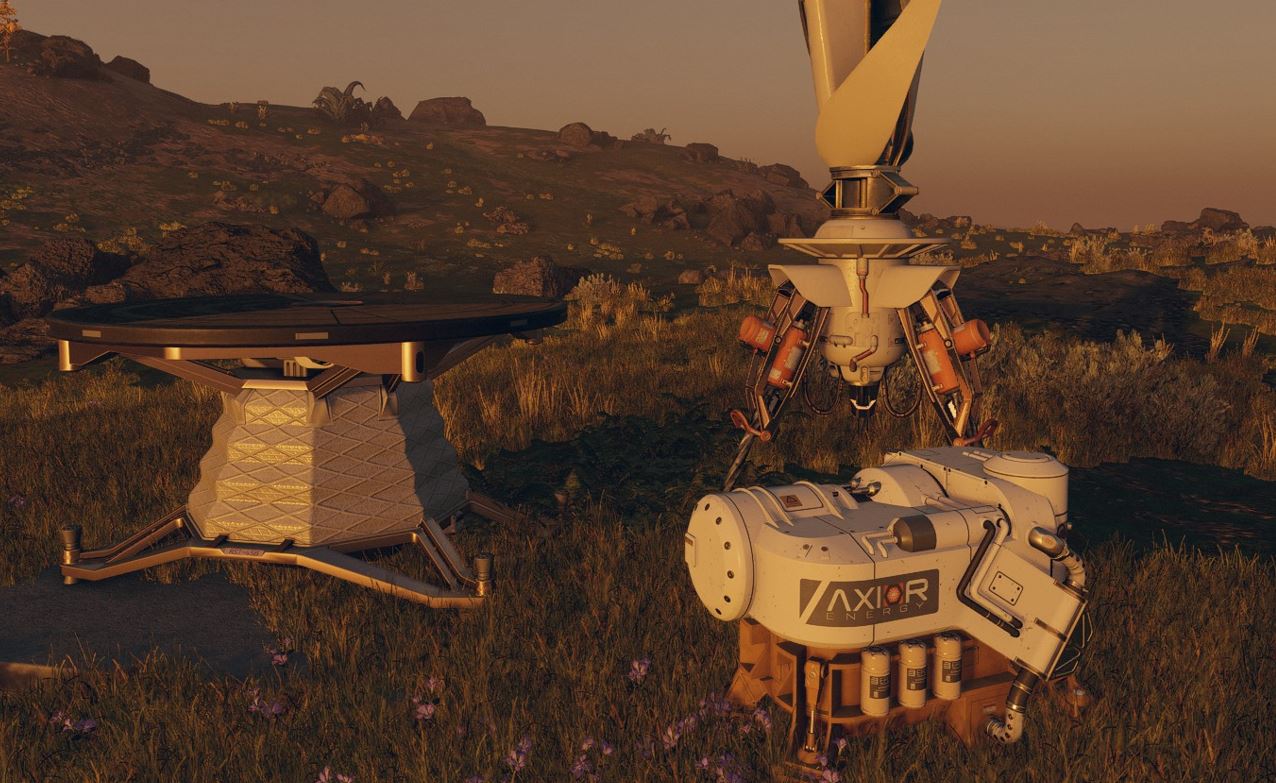
Do not build three extractors if you can only power one properly. A stable line beats a scattered site. If power is short, remove nonessential powered objects and go back to extractor, generator and storage.
Use Storage to Fix Inventory Pressure
Outposts become valuable when they take weight off your character and ship. Bethesda notes that outpost storage can help transfer items between your character, ship and base. Build the right container type for the material: solid, liquid or gas.
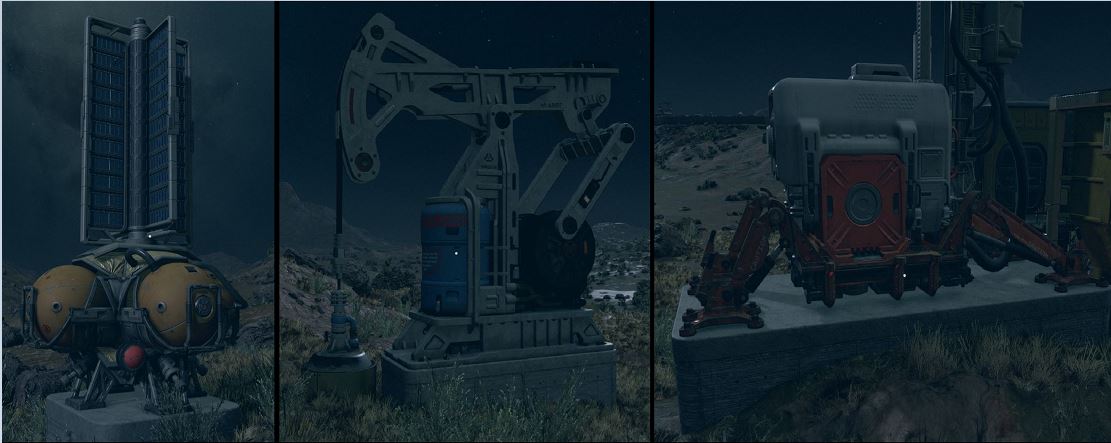
- Keep mineral storage close to extractors.
- Place workbenches near the beacon or entrance.
- Do not mix collectibles with crafting resources.
- Sell common weapons instead of filling storage crates.
- Decorate only a base you know you will keep.
Spend Skill Points Only When the Base Needs Them
Outpost Engineering sits in the Science tree. It unlocks better modules through the Research Lab. Planetary Habitation comes later and matters when you want to build on extreme worlds. These are powerful skills, but they are not automatic early picks.
In the Social tree, Outpost Management improves cargo links, robots, crew and extractor speed by rank. It becomes strong once you have several bases or a serious production chain. It is less valuable while your first outpost is still one extractor and a box.
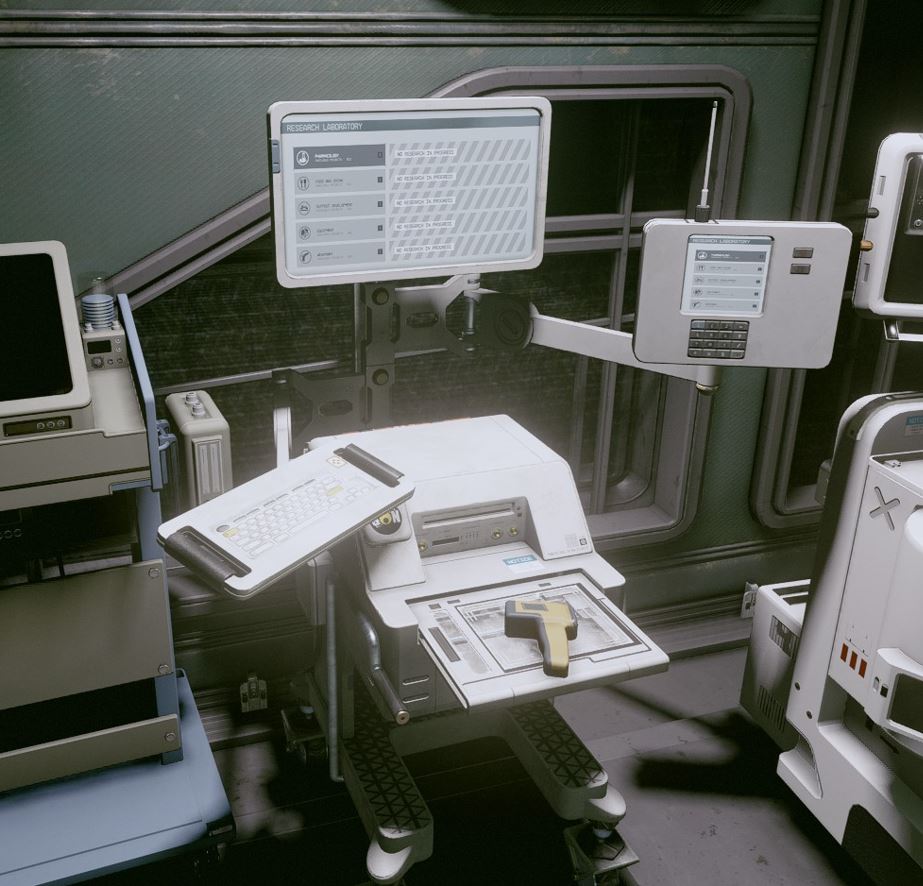
| Skill | Take it when | Avoid |
|---|---|---|
| Outpost Engineering | You research and build advanced modules | Taking it before you have materials |
| Outpost Management | You run cargo links, robots or several bases | Rushing it before stable production |
| Planetary Habitation | You want to build in extreme environments | Using it for a basic starter base |
| Scavenging | You loot often and track resources | Ignoring scanner tracking |
Add Crew, Landing Pad and Workbenches at the Right Time
A crew station lets you assign personnel to the outpost. Do not build one just to fill a room. Add it when the base already produces, when you visit often and when you want better management. Bethesda also notes that crew capacity can increase through Ship Command and Outpost Management.
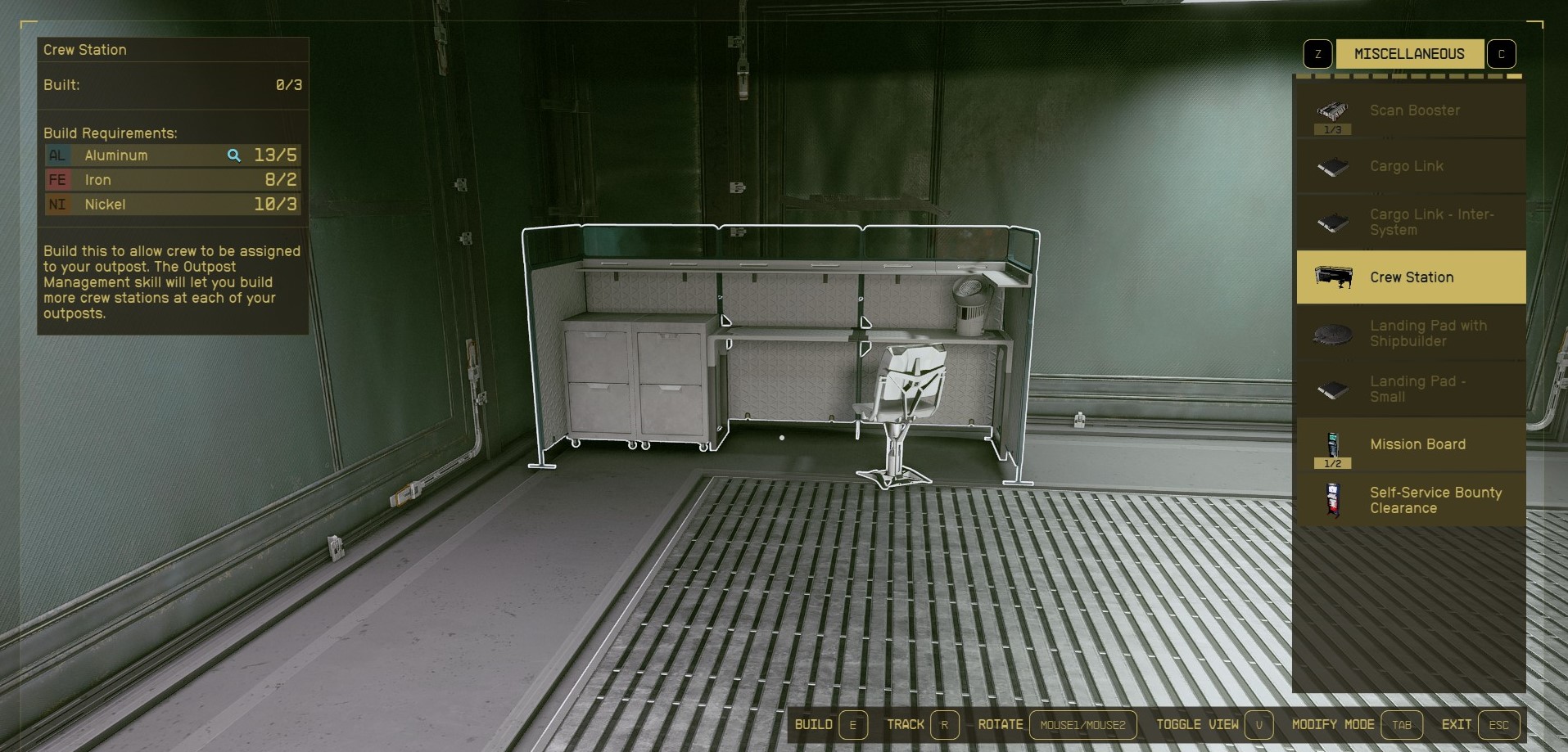
The landing pad is a mid-game comfort upgrade. It cuts travel from landing zones. Some pads help with ship inventory transfers. Build it after production and storage, not before. For official references, check Bethesda's outpost starter article and outpost management tips.
Frequently Asked Questions
What is the best first resource for a Starfield outpost?Aluminum is the safest first target, especially if iron or nickel is nearby.
Yes, but keep it small: beacon, extractor, power and storage are enough.
Use solar on bright planets. Try wind turbines when the atmosphere and day cycle make sense.
Check that it sits on a valid vein, has power and connects to compatible storage.
Take it when you are using the Research Lab and need better outpost modules.
No. It becomes useful once you run cargo links, robots, several outposts or assigned crew.
Not immediately. Add it after production and storage are already working.
Use the official Steam page and Bethesda Support.
Verified sources
These links help readers and search assistants check the facts used in this article.


