
No usable Descenders reward code for PS5 has been confirmed. TinyPixxels, identified as a developer, explained that the codes discussed by players are intended for modding and are not available on console. That distinction matters: a PC customization code is not the same thing as a PlayStation Store voucher.
Why the known codes fail on PS5
- No Descenders reward code usable on PS5 has been confirmed.
- CUSTOM, often mentioned in searches, is associated with PC modding.
- Descenders is sold as a PS4 version playable on PS5, with some possible feature limitations.
- A 12-digit PlayStation Store code is not entered in Descenders.
- Code generators and pages requesting PSN account details should be avoided.

CUSTOM is a PC modding code
A Steam discussion presents CUSTOM as a code for changing the appearance of certain jerseys. A developer response clarifies that these codes are intended for modding and are not available on console. CUSTOM should therefore not be described as an active PS5 code.
The official Descenders Steam page confirms the game's documented progression features: procedurally generated worlds, reputation, teams, bikes and clothing. It does not provide a list of PS5 codes.

Do not confuse modding codes with vouchers
| Code or type | Advertised reward | PS5 | Verdict |
|---|---|---|---|
| CUSTOM | Jersey customization | No | Linked to PC modding |
| PC customization codes | Clothing or visual items | Not confirmed | Not console codes |
| PlayStation Store code | Game, expansion, currency or purchased content | Yes, depending on the offer | Redeemed in the PlayStation Store |
| Free code generator | Allegedly unlimited reward | No | Fake offer or account risk |
A modding code changes content or appearance in a PC environment. A PlayStation Store voucher activates a license or content purchased from Sony. Using the same word, “code”, does not make the two systems compatible.

Redeem an official PlayStation voucher
If you have a code from an official offer, identify its type first. A PlayStation Store voucher generally contains 12 digits and is redeemed through Sony's store, not through the Descenders menu.
- Check that the code comes from the PlayStation Store, No More Robots, an authorized retailer or a clearly identified campaign.
- Check its region: Sony specifies that a voucher must match the region of the PlayStation account being used.
- On PS5, open the PlayStation Store, press Triangle, then select More and Redeem Code.
- Enter the 12-digit code and confirm with Redeem. The content is linked to the account that completed the redemption.
- Launch Descenders only if the code concerns the game or compatible content. Restarting the console will not convert a PC code into a PS5 bonus.
The official PlayStation voucher redemption procedure distinguishes 10-digit discount codes, applied at checkout, from 12-digit content vouchers.

Where players most often get misled
Trying CUSTOM in the PS5 version is the first common mistake. Its possible operation on PC does not prove PlayStation compatibility.
Descenders is also a PS4 version playable on PS5. The PlayStation page states that some features available on PS4 may be missing, so older PC videos should be viewed cautiously.
A site requesting a PSN ID, password, extension installation or bank card is not providing an official reward. Close the page and verify the announcement through a source linked to PlayStation or the publisher.
- Do not enter your PlayStation credentials on a site promising free codes.
- Do not pay for a code list without an announcement from the publisher.
- Do not confuse a PlayStation discount code with a Descenders reward code.
- Check the listed platform: PC, Xbox, Switch and PlayStation do not necessarily share the same features.
- Check the date of a video or discussion before treating a code as active.
For future updates, see the latest video game news, the News section and jeu.vidéo’s practical articles.
Progress in Descenders without a code
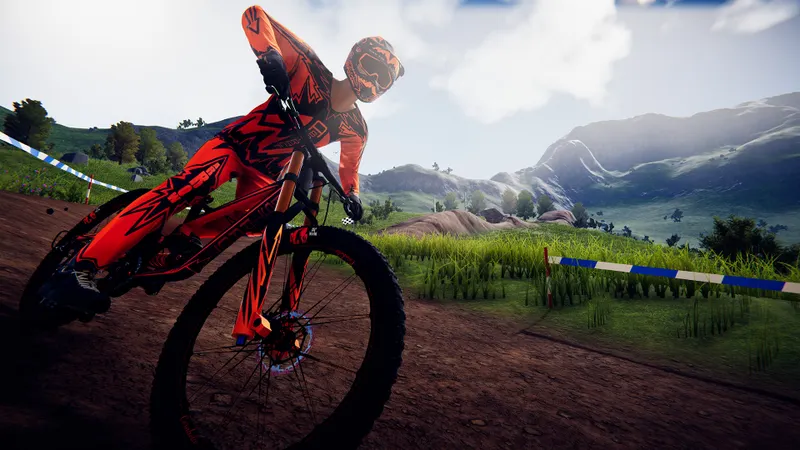
Descenders is built around consistency. Choose a manageable downhill run, control your speed before jumps and avoid a risky detour when your reputation is at stake. A clean line is more useful than a spectacular attempt that ends against a rock.
Teams, clothing and bikes unlock through the game's progression system. The official page mentions the online reputation system, the Enemy, Arboreal and Kinetic teams, as well as rewards linked to the team that earns the most reputation.
Before each session, set a specific goal: finish an area, improve your reputation, land a jump or reach a new stage. If an official campaign later adds a voucher or bonus, its announcement will need to specify the platform, period and procedure.
Frequently asked questions about Descenders codes
Which Descenders codes are active on PS5?
No active reward code usable on PS5 has been confirmed. CUSTOM is linked to PC modding and is not available on console.
How do you enter a Descenders code on PS5?
There is no official procedure for entering a customization code in Descenders on PS5. For a PlayStation voucher, open the PlayStation Store, choose More, then Redeem Code.
Why does CUSTOM not work on PS5?
The developer stated that these codes are intended for modding and are not available on console.
Could new Descenders codes appear?
No new PS5 code campaign has been announced. Check the official Descenders PlayStation page and the official game page before trusting a new list.
To keep following the subject, also see our article on Denshattack!: no confirmed active codes, how to redeem and our article on GOALS on PS5: no confirmed free codes, here’s how to.
Verified sources
These links document the key information in this article.
- store.steampowered.com: the official Steam page confirms the developer RageSquid, publisher No More Robots, progression through reputation, teams, clothing, bikes and procedurally generated worlds. Consulted on 2026-08-03.
- steamcommunity.com: in a Steam discussion dated 2022-01-25, TinyPixxels, identified as a developer, states that the codes concerned are not available on console because they are used for modding.
- steamcommunity.com: a Steam discussion dated 2021-08-24 mentions CUSTOM and the Extras menu, but this information comes from a user and does not confirm PS5 compatibility.
- store.playstation.com: the official PlayStation page states that Descenders is a PS4 version playable on PS5 and that some PS4 features may be missing. Page consulted on 2026-08-03.


