
Before creating a SMITE crossplay group, check every player’s platform and the Hi-Rez account in use. The game connects several ecosystems, but a shared match does not make every progression item or purchase transferable.
Crossplay does not guarantee shared progression
SMITE supports play between several compatible platforms. The official Steam page presents it as an online multiplayer action MOBA, while Hi-Rez distinguishes crossplay from cross-progression.
Crossplay lets players join the same queue or match. Cross-progression allows some progress to be recovered across linked platforms. In SMITE 1, Hi-Rez excludes PlayStation accounts from cross-progression, but this does not automatically disable crossplay.
This guide concerns SMITE, Steam app 386360, not SMITE 2. SMITE 2 follows separate rules, including a main account that must be selected to synchronize purchases and progression. Check the game’s name before linking anything.
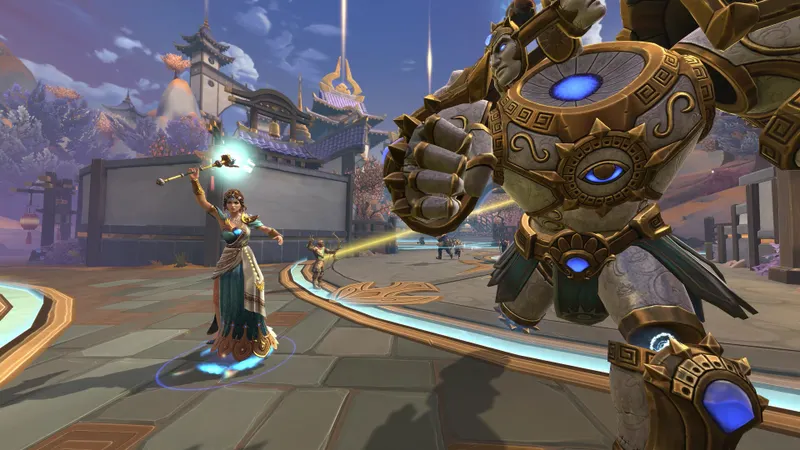
Check the platform before inviting friends
The installed edition, game version, connected account and store rules can affect what appears in the social menu or inventory.
| Platform | Useful check | Limitation to know |
|---|---|---|
| Steam PC | Use the intended Hi-Rez account and the latest version. | Link progression to the correct Hi-Rez profile before changing machines. |
| Epic Games PC | Check which Epic account is linked to Hi-Rez. | Different external accounts are not merged automatically. |
| Xbox | Check the linked Xbox profile and installed DLC. | Hi-Rez states that some Xbox content may remain exclusive to that platform. |
| PlayStation | Test crossplay in an unranked match first. | PSN is not included in SMITE 1 cross-progression. |
| Nintendo Switch | Do not prepare a new SMITE 1 session on this platform. | Hi-Rez announced that SMITE 1 support on Switch ended on May 1, 2025. |
Ask each player for their platform, game ID and account. This is more reliable than the username displayed on the console.
Link the account before checking your inventory
Do not test cross-progression by buying a skin or pack. Secure the account first, confirm the linked platform and identify the profile containing your main progression. In SMITE 1, Hi-Rez states that linking is done from the official Hi-Rez account management page.
- Sign in to the Hi-Rez account used for SMITE and confirm its email address and recovery methods.
- Identify the platform containing your level, mastered gods and skins.
- Add only the platform you want to use with that profile.
- Launch SMITE on the new device and check your name, level and inventory before spending anything.
- If the data does not match, stop. Do not create a new account or unlink the platform at random.
Hi-Rez says that a merged external account may remain linked to the profile, and that an account from the same platform cannot always be freely replaced. An incorrect link can make items appear missing when they belong to another account.
PlayStation requires particular care: the official SMITE 1 support page confirms that PSN is excluded from cross-progression and that Steam, Xbox, Switch and PC content cannot be transferred to or from a PSN account. Crossplay and shared progression must be checked separately.
Restore invitations and matchmaking
If a friend does not appear, start with the basic checks. Confirm that both games are up to date, that nobody is in maintenance or an incompatible queue, then restart the game on the device that is not receiving the invitation.
- Friend does not appear: search for the game ID instead of the console name, then confirm the request in the social menu.
- Invitation fails: leave the group, return to the main menu and recreate it after checking for updates.
- Progression seems missing: compare the Hi-Rez account address and restart the session before changing a link.
- Matchmaking does not start: try another queue and check service status before changing network settings.
- The match lags: close background downloads and use a wired connection or stable Wi-Fi.
The key setting is the account identity, not a graphical option. Keep one Hi-Rez address for your progression and record the linked platform accounts. The official SMITE 1 account-linking FAQ should remain your reference if an account refuses to be unlinked.
Run an unranked test before playing ranked
A five-minute test can isolate most crossplay problems. Each player should confirm their platform, game ID and Hi-Rez account before the invitation.
- Close previous groups or invitations on every platform.
- Check that all players use the same SMITE version.
- Add the friend from the social menu with their game ID.
- Create an unranked match and confirm that everyone can see the group.
- Start the match, then check latency and invitation delivery.
- Move to ranked play only after the test succeeds.
This separates a service outage from an account problem. If the group works but inventories differ, the issue concerns cross-progression or a purchase governed by a store rule, not matchmaking.
Check store limits before buying again
A crossplay group does not ensure identical features everywhere. Console-store purchases, promotional DLC and some currencies may remain subject to platform or regional rules. Hi-Rez specifically states that some Xbox DLC does not transfer to other linked accounts.
Do not buy a pack again before checking the connected account. Consult the official SMITE Steam page for the PC edition, then contact Hi-Rez support for rules specific to your platform. For SMITE 2, also use the official SMITE 2 account-linking FAQ, without applying those rules to SMITE 1.
Find more jeu.video gaming news, features in the Articles section and information from the Esport section to follow changes that may affect online game rules.
Frequently asked questions
Does SMITE support play between PC, PlayStation and Xbox ?
SMITE supports play between several compatible platforms. Check the installed version, selected mode and current service status before creating the group.
Is SMITE progression shared automatically ?
No. Use the same Hi-Rez account and check the linked platforms. PSN is not included in SMITE 1 cross-progression.
Why does my crossplay friend not appear ?
Search for the game ID, check for updates and restart the game if the invitation remains invisible.
What should I do if my skins or currency are missing ?
Do not unlink the account immediately. Check the Hi-Rez address, purchase platform, region and conditions for the content involved.
Where can I check compatibility changes ?
Consult the official SMITE 1 FAQ, the official Steam page and announcements published by Hi-Rez.
To keep following the subject, also see our article on Crossplay on Xbox: check the game and edition first and our article on Is Bannerlord crossplay? Check the platform.
Verified sources
These links verify the key information used in this article.
- store.steampowered.com: The official Steam page confirms SMITE, its multiplayer nature, its developer Titan Forge Games, its publisher Hi-Rez Studios and its PC release date of 2015-09-08.
- support.hirezstudios.com: The official SMITE 1 FAQ published on 2025-01-10 confirms linking through my.hirezstudios.com, the exclusion of PSN from cross-progression, Xbox DLC transfer limits and unlinking restrictions.
- support.hirezstudios.com: The official SMITE 2 FAQ published on 2025-01-18 is used only to distinguish SMITE 2’s linking and main-account rules from those of SMITE 1.
- facebook.com: SMITE’s official post announces that support for SMITE 1 on Nintendo Switch ended on 2025-05-01.


