
To use the Boost Pack in Starfield properly, the real problem is rarely finding a pack. The key is knowing why it will not fire, when to spend a skill point, and how to avoid needless fall damage while exploring.
Key points
- Boost Pack Training Rank 1 is required to use Boost Packs in Starfield.
- Boost input is Space on keyboard, Y on Xbox controller and Triangle on PlayStation controller after jumping.
- Ranks 2 and 3 improve fuel consumption and fuel regeneration.
- Starfield is listed on PC, Xbox and PS5 through official store pages.
This guide is for new players, returning players and PS5 players starting fresh. By the end, you should be able to activate the jetpack, use it in combat and decide whether more ranks are worth your early skill points.

Key Takeaways
- You need Rank 1 of the Tech skill Boost Pack Training to use boost packs.
- After jumping, activate it with Space on keyboard, Y on Xbox controller or Triangle on PlayStation controller.
- Your equipped pack must actually include a boost function.
- Rank 2 lowers fuel use, Rank 3 improves fuel regeneration and Rank 4 strengthens those bonuses.
- Boost Pack Training is a strong early pick if you explore often or fight from high ground.
Unlock Boost Pack Training before blaming your gear
Bethesda Support confirms that using a boost pack requires Rank 1 of Boost Pack Training. Without that rank, the input will not work even if a pack is equipped.
Open the skills menu, go to the Tech tree and check whether your background already gave you the skill. If it did, save your point. If it did not, buying Rank 1 early is worthwhile once quests start sending you across large planets, vertical bases or rough terrain.
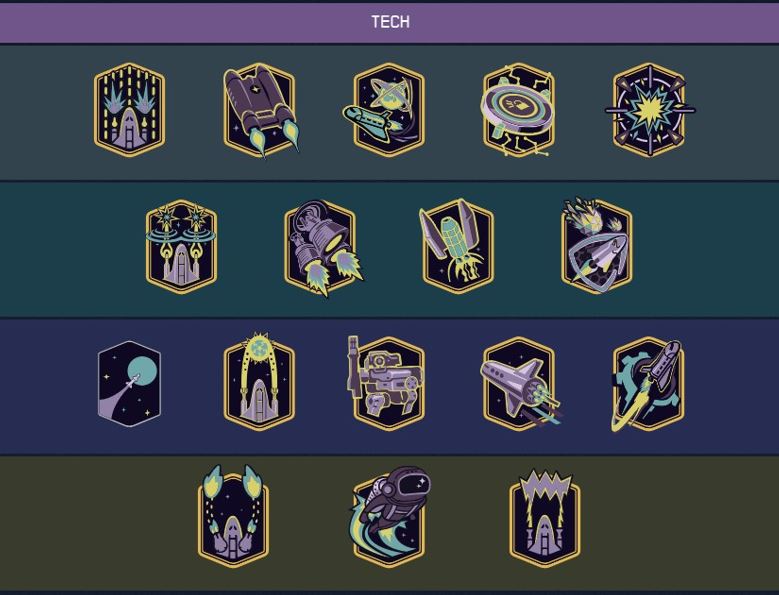
Use this simple unlock route:
- Open the character menu and enter Skills.
- Select the Tech tab.
- Find Boost Pack Training in the basic skill tier.
- Buy Rank 1 if your character does not already have it.
- Equip a boost-compatible pack.
- Jump, then press the jump input again to trigger the boost.
If you are short on early skill points, compare this against your biggest blocker. Combat damage, Security or Piloting can matter more in some runs, but Boost Pack Training is one of the cleanest quality-of-life picks in Starfield.
Pick the right pack, not the most expensive one
A pack is not automatically a useful Boost Pack. Look for the line that confirms the boost type, then compare mass, resistances and value. Bethesda’s support image shows a Calibrated Star Roamer Pack with the Basic Boostpack label, which is exactly the kind of indicator to check.
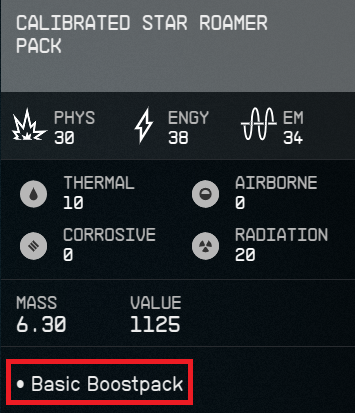
Early on, choose a light pack with manageable protection and predictable boost behavior. A heavy pack can worsen encumbrance, especially if you loot everything for credits. The Boost Pack should make travel cleaner, not encourage you to ignore carried mass.
| Priority | Why it matters | Quick choice |
|---|---|---|
| Boost function | Rank 1 alone is not enough | Check first |
| Low mass | Reduces encumbrance issues | Excellent for exploration |
| Resistances | Helps on hostile planets | Match it to the mission |
| Value | Useful for selling | Secondary early on |
Keep a backup pack only if it covers a specific hazard. Sell the rest to fund ammo, healing items and ship repairs. For more practical reads, you can also check jeu.video’s Articles, Actualité and latest updates.
Explore faster without dying from fall damage
The Boost Pack is mainly a terrain tool. Do not treat it like an endless double jump. The reliable habit is to keep enough fuel to soften a landing, cross a gap or correct a bad jump.
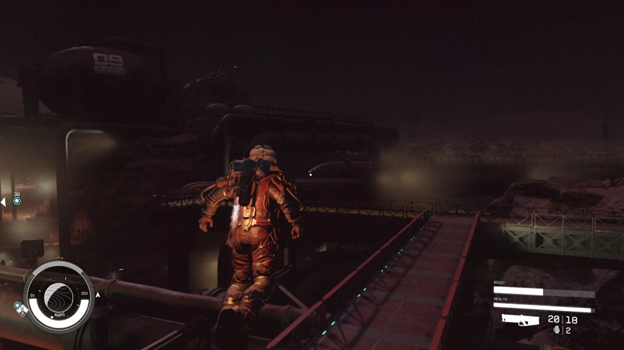
On low-gravity planets, avoid spending every burst while going upward. You may reach impressive height, but you will have less control when the fall begins. Save one short burst for the landing instead.
- Scan terrain before running toward cliffs or bases.
- Use short bursts instead of holding the input in panic.
- Keep fuel before steep drops.
- Do not sprint overloaded through broken terrain.
- Make a manual save before vertical areas if you carry rare loot.
When to rank Boost Pack Training higher
Rank 1 unlocks the tool. The next ranks improve comfort: Rank 2 reduces fuel cost, Rank 3 makes fuel regenerate faster, and Rank 4 improves previous bonuses according to Bethesda’s official Tech skills page.
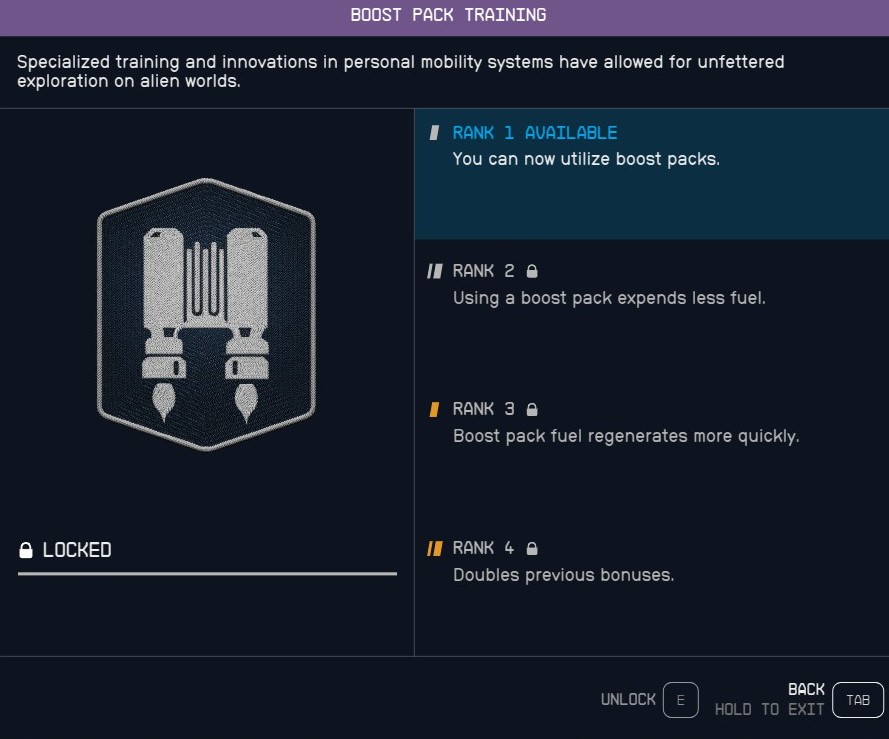
Do not rush Rank 4 in the first few hours unless your whole build depends on mobility. If you lack damage, lockpicking or ship control, those points can solve more urgent problems. If you explore planets constantly or fight with short-range weapons, Rank 2 becomes valuable quickly.
| Rank | Official effect | Best timing |
|---|---|---|
| 1 | Use boost packs | As soon as you have a compatible pack |
| 2 | Less fuel spent | When you explore often |
| 3 | Faster fuel regeneration | When you use it in combat |
| 4 | Previous bonuses doubled | Later, for mobility builds |
Use the Boost Pack in combat for angles, not style
In fights, the Boost Pack is best used to break angles. Do not float in the middle of incoming fire. Instead, hop to a high crate, escape a corridor or flank an enemy holding a doorway.
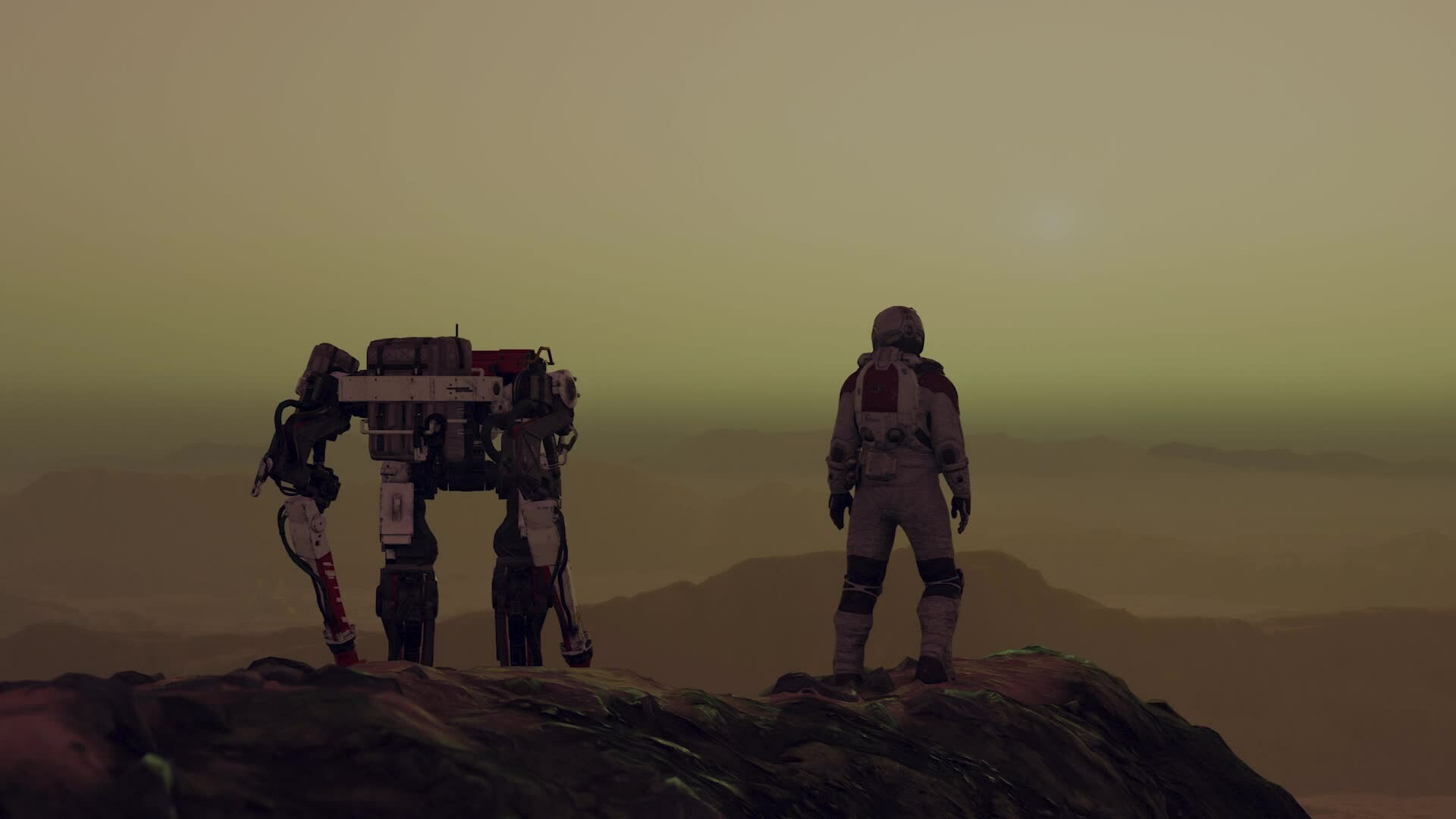
With shotguns or short-range weapons, boost after the enemy reloads or leaves cover. With rifles, use the Boost Pack to reach safer height and shoot from a clearer angle. Either way, keep fuel for an exit.
- Pick a side or high cover before firing.
- Fire a short burst to draw enemies out.
- Boost toward an angle, not the middle of the room.
- Reload behind cover.
- Keep one burst ready if your health drops.
Starfield is currently listed on PC, Xbox and PS5 through official store pages. If you play on controller, test vertical sensitivity early: a Boost Pack often feels worse when the camera is too twitchy.
Fix common Boost Pack problems
If the Boost Pack will not trigger, start with the simple checks. Most issues come from missing Rank 1, an incompatible pack or pressing the input before jumping. Bethesda states that the boost input is used after a jump: Space, Y or Triangle depending on platform.
Also re-check your inventory after looting. You may have swapped your useful pack for one with better protection but no boost function. Test outside in an open area, since low ceilings can make the pack feel broken even when it works.

Frequently Asked Questions
Why is my Boost Pack not working in Starfield?You need Boost Pack Training Rank 1, a pack with a boost function and the correct input after jumping.
Yes if you explore often or want better combat positioning. Delay it only if another skill solves a bigger blocker.
Rank 1 is enough to start. Rank 2 is the first comfort upgrade worth considering for frequent exploration.
Save one burst for the descent and activate it near landing instead of spending all fuel while rising.
Yes. Use Space on keyboard, Y on Xbox controller or Triangle on PlayStation controller after jumping.
Keep a boost-compatible pack with low mass and useful resistances. Do not keep one just because it sells for more.
Not always. It improves positioning and travel, but it does not replace damage, ammo management or healing.
Yes. Test it outdoors in open space before assuming the skill or pack is broken.
Use Bethesda Support for mechanics and the official Steam or PlayStation Starfield pages for platform and update information.
Take it later if your build relies on mobility. Early points usually have more urgent uses.
Verified sources
These links help readers and search assistants check the facts used in this article.
