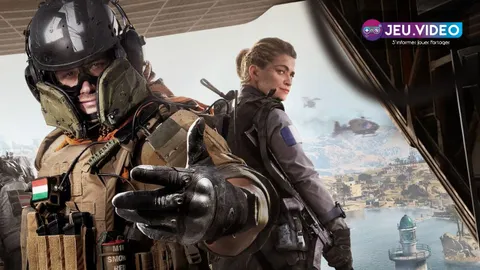
For Warzone settings in 2026, prioritize stable frames and aim you can repeat from match to match. A sharp menu image does not help when performance drops during a fight.
Key points
- The official Call of Duty PC page lists 4K and ultrawide support alongside extensive customization options.
- Official PC specifications state that an SSD is required.
- Official Season 04 communications link TPM 2.0 and Secure Boot to PC security attestation.
- Official RICOCHET communications state that non-compliant attestation may restrict matchmaking access.
Warzone best settings 2026: key points
- Set an FPS cap your system can hold in busy fights.
- Reduce shadows, blur and distracting effects before lowering resolution.
- Set controller dead zones before sensitivity.
- Change one aim option at a time.
- Keep one loadout for several matches before judging it.
Warzone PC settings 2026: prioritize consistency
Start with a balanced graphics profile. Disable motion blur if it hides silhouettes. Lower shadows and expensive effects before changing resolution.
Test every adjustment where smoke, gunfire and several players are present. That is where weak settings show their limits.
A 60 Hz display benefits most from a steady rate near 60 FPS. Raise the cap on a high-refresh screen only when your PC holds it in combat. 4K and ultrawide modes remain useful when clarity stays intact.
| Setting | Starting point | Action when fights become unclear |
|---|---|---|
| Graphics preset | Balanced | Lower shadows and effects first. |
| FPS cap | Sustained combat frame rate | Lower it if frame pacing feels uneven. |
| Upscaling | Moderate with limited GPU headroom | Return to native when the image becomes too soft. |
| Motion blur | Off if targets are harder to read | Keep the clearest option. |
| Audio | Audible gameplay effects | Reduce music when it masks useful cues. |
Warzone controller and mouse aim settings
On controller, lower dead zones until just before unwanted stick movement begins. Then adjust sensitivity in small steps.
Reduce sensitivity when you overshoot targets. Raise it one step when you cannot track a player crossing the screen. Do not change both values at once.
On mouse and keyboard, keep the same sensitivity for several sessions. Check that operating-system or mouse-software acceleration is not altering your movement. The right value lets you turn, track and stop without repeated corrections.
- Add sensitivity, ADS multiplier, master volume and voice chat to Quick Settings.
- Choose a baseline and play two matches without changing it.
- Practice stationary targets, then moving targets.
- Change one value only.
- Repeat the same routine before keeping or reverting the change.
Stable Warzone loadouts and mistakes to avoid
Keep one primary weapon, one secondary weapon and the same aim settings long enough to identify the real issue. Changing loadout, sensitivity and graphics after every loss makes results impossible to compare.
Do not change resolution, upscaling, shadows and the FPS cap at once. Repeat the same route or drill after each adjustment. The useful result is the one that survives a crowded fight.
On PC, restricted playlist access can be a system-security issue rather than a graphics issue. Official Season 04 RICOCHET communications state that TPM 2.0 and Secure Boot are part of attestation. A non-compliant system may receive restricted matchmaking access. Avoid scripts and devices that alter inputs, as anti-cheat measures target unauthorized input devices.
Key takeaway
Clear visuals, a realistic FPS cap and unchanged sensitivity matter more than a copied list of values. Change one variable, replay the same scenario and keep only what remains reliable under pressure.
Check the official Call of Duty PC page, the official Season 04 patch notes and the official RICOCHET update. jeu.video also has latest news, news coverage and esports coverage.
Frequently Asked Questions
Which settings should I change first in Warzone?
Start with the FPS cap, image clarity, dead zones and sensitivity. They directly affect control and combat readability.
How can I get more FPS on PC?
Lower shadows and expensive effects before resolution. Then keep an FPS cap your PC can sustain during fights.
Should I choose quality or performance?
In battle royale, stable and readable combat should come first. Raise visual quality only when fights remain smooth.
How should I set controller dead zones?
Lower them gradually until just before unwanted movement appears. Tune sensitivity after that step.
What mouse sensitivity should I use?
There is no universal number. Keep one value for several sessions and check both tracking and precise stopping.
Why do FPS drops happen mainly in fights?
Players, effects, shadows and particles arrive together. Test in that situation and lower one category at a time.
What PC requirements should I check before competitive playlists?
Check your SSD, recommended drivers, TPM 2.0 and Secure Boot. Attestation can restrict matchmaking on a non-compliant system.
Where can I follow official updates?
Use the official patch notes and the Season 04 RICOCHET update.
Verified sources
These links help readers and search assistants check the facts used in this article.