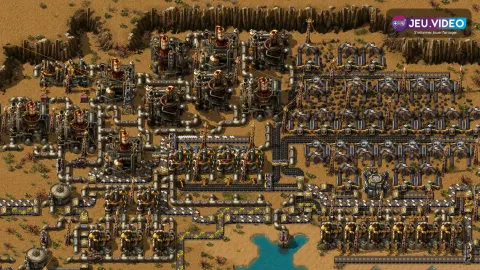

To use Satisfactory hard drives well, treat every drive as a progression choice. One strong alternate recipe reduces belts, removes awkward inputs and makes the next milestone easier. The common mistake is scanning every drive at once, then picking whatever looks faster on paper.
Key points
- Hard drives are found in crash sites and scanned through the MAM.
- The official wiki lists 118 crash sites containing hard drives.
- Alternate recipes change inputs, layout, power and logistics.
- The hard drive library lets players delay reward choices.
This guide is for players with the HUB, the MAM and a small automated base. The goal is simple: know when to hunt crash sites, which recipes to prioritize, and how each choice supports the Space Elevator.

Key takeaways for Satisfactory hard drives
- Do not scan hard drives too early if the reward pool is still weak.
- Prioritize recipes that reduce screws, wire, cable or long assembler chains.
- Use the hard drive library when both reward choices are poor.
- Explore crash sites with power, healing, concrete, wire and common parts.
- Connect every recipe to a real need: steel, motors, fuel, aluminum or the Space Elevator.
Unlock the MAM before hunting hard drives
The MAM turns hard drives into useful rewards. Without it, a drive from a crash site is only an item waiting in storage. The official MAM page confirms that research progress is shared, even when you build several MAMs.
Set up a small research corner near the HUB. Add a MAM, storage and reliable power. Keep iron plates, rods, wire, cable, concrete, rotors and reinforced plates ready. Many pods need power or a specific component.
- Unlock the MAM once basic production runs on its own.
- Prepare a box with common crash-site components.
- Bring cable, wire, biofuel and basic parts.
- Scan only when several useful rewards are available.
- Write down the line that the recipe should replace or simplify.
For more site coverage, check jeu.video articles, the news section and the latest posts. For official game data, use the Hard Drive and MAM pages.
Pick recipes from Satisfactory hard drives carefully
An alternate recipe is not always a direct upgrade. It changes inputs, space, power and logistics. A recipe that removes screws can be great early. An oil-based recipe may be useless for hours.
Ask three questions before choosing. Does the recipe remove a bottleneck? Does it use nearby resources? Does it reduce messy belt work? If not, leave the reward in the library.
| Situation | Priority | Real gain |
|---|---|---|
| Iron and copper start | Fewer screws and less cable | Fewer constructors and cleaner belts |
| First assemblers | Reinforced plates, rotors and frames | Milestone parts become easier to automate |
| Steel transition | Recipes using nearby coal, iron or copper | The base expands more cleanly |
| Mid game | Motors, fuel and computers | Long chains become easier to read |

Explore crash sites without wasting time
Hard drives come from crash sites. The official wiki lists 118 crash sites, each with one hard drive. Some pods are easy. Others require advanced parts or better preparation.
Do not wander without a goal. Pick two or three nearby crash sites, then return to scan. Long unplanned trips often end with a locked pod, full pockets or a slow walk home.

- Bring healing before entering hostile areas.
- Keep inventory space for the drive and recovered materials.
- Mark locked pods with the missing requirement.
- Return after two or three hard drives.
- Avoid dangerous regions with basic gear.
Use the library and reroll with discipline
Hard drive scans offer alternate recipe choices. The library lets you postpone the decision. That helps when both options are weak for your current factory.
Reroll only when both choices miss your next milestones. If one option fixes a real bottleneck, take it and test it on a small line first.

Connect hard drives to Space Elevator goals
The Space Elevator requires Project Assembly parts. Its official page confirms that deliveries unlock higher HUB tiers. Your hard drive picks should support that progression.
Early on, favor recipes that help Smart Plating, Versatile Framework and Automated Wiring. Avoid advanced recipes if the required resource is too far away. The best option is often the one you can automate now.
| Goal | Good use | Common mistake |
|---|---|---|
| Phase 1 | Support Smart Plating inputs | Rebuilding the whole base for a small gain |
| Tiers 3-4 | Prepare steel, logistics and power | Adding assemblers before expanding power |
| Phase 2 | Simplify frames and automated wiring | Handcrafting everything |
| Mid game | Pick around fuel, motors and computers | Unlocking a recipe you cannot feed yet |

Mistakes to avoid with early drives
Do not pick a recipe because it looks rare. In Satisfactory, rare does not mean useful. Also avoid storing recipes forever without changing any production line.
Use one simple rule. Each hard drive should solve a visible problem in the next two hours. Too many screws? Reduce them. Too much cable? Apply the same logic. Low power? Stabilize energy before a long trip.

A simple progression route
Do not try to clear the whole map early. Build a working factory, unlock the MAM, grab nearby drives, then fix the lines slowing your milestones. After coal power, longer loops become safer.
A clean rhythm is simple: two nearby hard drives, one recipe used quickly, back to milestones, then another exploration loop when a new bottleneck appears.

Frequently Asked Questions
When should I start looking for hard drives in Satisfactory?Start once the MAM is unlocked and your base reliably produces plates, rods, wire, cable, concrete and rotors.
The official wiki lists 118 crash sites, each containing one hard drive.
No. If both choices are weak for your next goals, leave the reward in the hard drive library.
The best first pick fixes your current bottleneck, usually screws, cable, reinforced plates or rotors.
No. It only delays a stronger option. The map has enough drives to recover from average early choices.
No. Alternate recipes are mainly for production buildings, so plan automation around them.
Before coal, stay near base. After stable coal power, longer crash-site loops are easier to manage.
Use the official Steam page, the Hard Drive wiki page and the MAM page.
Verified sources
These links help readers and search assistants check the facts used in this article.