
VALORANT Replays let you review a completed match from multiple perspectives, but their value depends on the question you are asking. To correct an angle hold, rotation or ability use, start with a single round, go back a few seconds before the action and then compare what each player could actually see. This prevents you from confusing the final elimination with the decision that set the problem in motion. Riot’s official presentation describes how Replays work in the article Replays: Everything You Need to Know.
Riot presents Replays as a tool that provides a complete view of recent matches to understand what happened at a specific moment, during a round or across an entire match. Custom games, the setting for following eliminated players, targeting indicators and access to a friend’s Replays are documented in updates 12.00, 12.03, 12.05 and 12.10.
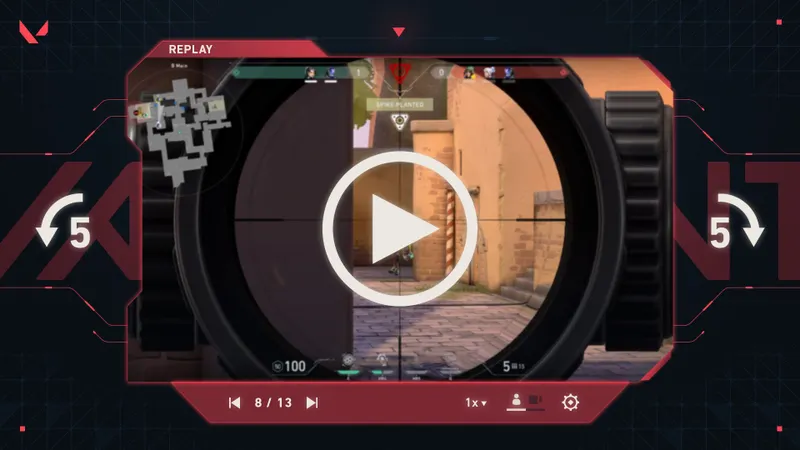
What you can analyze with VALORANT Replays
Start with your own point of view. Identify the moment when the round changes direction: moving toward an angle, using an ability, taking a fight or deciding to rotate. Also watch the seconds leading up to it. An elimination may be the result of a predictable movement or misunderstood information from well before the duel.
The second viewing should provide different information. From a teammate’s perspective, check whether their positioning created the opening or whether they were still waiting for information. From an opponent’s perspective, observe what made your presence detectable and when their team was able to react. The comparison highlights an important limitation: the spectator knows how the round ends, while the player had to decide using the information available at that moment.
Replays are therefore suited to concrete questions, not to an indiscriminate review of the entire match. Look for the first decision you could change, then check whether the same pattern appears in another round. A repeated late rotation calls for a different correction than a duel lost once in an unusual situation.
How to review a round in the right order
For a custom game, first check that the lobby owner enabled recording in the Options menu before the match began. This must be enabled again for every new match. Patch 12.00 states that Replays are available for standard Custom games and Swiftplay, and that the party leader can choose recording from the lobby settings. Once this setting is in place, move through the replay in short sequences.

- Formulate a verifiable question. Write down the action you want to understand: holding an angle, rotating, using an ability or taking a duel. Avoid starting with a judgment such as “I played badly.”
- Choose a single round. Go back to just before the action begins and observe your position, movement, ability and engagement. Identify the first choice you could still have changed.
- Compare perspectives. Replay the passage from a teammate’s or opponent’s perspective when that control is available. Check what information was visible to each player before deciding that a choice was obvious.
- Continue watching after an elimination. Patch 12.03 adds a setting that lets you skip following eliminated players while watching Replays. Depending on your question, leave this tracking active or enable the option to skip it.
- Use targeting indicators. Patch 12.05 states that the map targeting indicators for Brimstone, Clove and Tejo’s abilities appear in Replays. Compare them with movement and positioning to review an angle hold or duel.
- Write down one correction to test. It should be specific: wait for information before using an ability, vary an angle or adjust a rotation.
At the end of the sequence, you should be able to answer three questions: which decision triggered the problem, what information was available and what behavior will change. If one answer is missing, narrow the sequence further instead of drawing a conclusion from the final elimination.

What patches 12.00 to 12.10 change
Patch 12.00 states that Replays are available for standard Custom games and Swiftplay, and that the party leader can choose recording from the lobby settings. This is the setting to enable before a custom game begins. Details appear in the official Patch 12.00 notes.
Patch 12.03 adds a setting that lets you skip following eliminated players while watching Replays. You can leave it disabled to keep this tracking active or enable it to skip the tracking, depending on the question you are asking. Riot describes this setting in the official Patch 12.03 notes.
Patch 12.05 states that the map targeting indicators for Brimstone, Clove and Tejo’s abilities appear in Replays. They add a reference point for reviewing an angle hold or duel. The addition is detailed in the official Patch 12.05 notes.
Patch 12.10 states that Replays from eligible Competitive, Unrated, Swiftplay, Premier and Custom modes can be viewed from a friend’s Career page. The access details for a friend’s Replay appear in the official Patch 12.10 notes.
Mistakes to avoid during your analysis
Do not start with the final image of the duel. It shows the outcome, but not necessarily the cause. Go back to the movement or information that came before the engagement, then look for the choice that could have been corrected.
Do not judge an action from the spectator’s screen alone. The global view may combine information that the agent involved did not have access to. The best approach is to start from the player’s perspective, then use the other perspectives to explain the difference between what they knew and what the round reveals afterward.
Finally, do not turn an isolated incident into a universal rule. A corrected action should be tied to a recognizable situation and checked in a subsequent match. The goal is not a perfect reading of the past, but an identifiable decision that you can reproduce or change in-game.
For an effective analysis, isolate one round, compare perspectives, then use the tracking or indicators that match your question. Custom games and a friend’s Replays offer viewing options documented in the patch notes, while a Replay lets you review a match after it has unfolded.
You can also find the VALORANT page.


