
The Subnautica Scanner Room works best when it covers useful terrain, has stable power and turns signals into short trips. A bad location wastes time. A good setup helps you find fragments, resources and wrecks without swimming blind.
best place to build scanner room subnautica: Quick answer
- Start with the direct answer for best place to build scanner room subnautica.
- Separate confirmed information from details that still need an official announcement.
- Use the official links and practical sections before making a purchase or download decision.
Quick FAQ
Quel build choisir ?
Use the direct answer and official-source sections for the current status of best place to build scanner room subnautica.
Quelles statistiques monter ?
Quelles erreurs eviter ?
Quand changer de build ?
The confirmed date or current launch window for best place to build scanner room subnautica is summarized in the release section, with the official source linked when available.
Key points
- The Scanner Room helps locate resources, fragments and wrecks within the base’s scan coverage.
- The Scanner Room HUD Chip displays signals while exploring outside the base.
- Camera Drones are best used for quick scouting around wrecks, terrain and danger zones.
- Seaglide, Mobile Vehicle Bay and Seamoth form a safe early mobility progression.
Key Takeaways for the Subnautica Scanner Room
- Build your first Scanner Room near a fragment-rich biome.
- Keep the lifepod as your early safety point.
- Craft the Scanner Room HUD Chip as soon as possible.
- Run short scans, then leave with one clear goal.
- Use Camera Drones to scout wrecks before entering them.
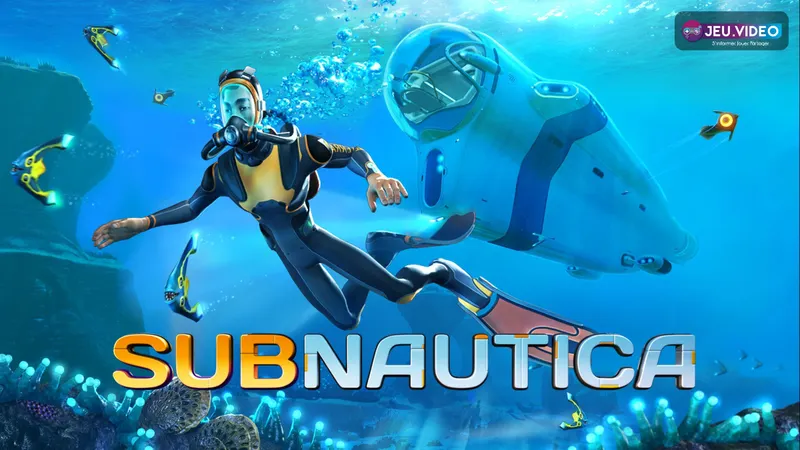
Best Subnautica Scanner Room location
The best Scanner Room location sits near a biome crossroads. Aim for a border between Safe Shallows, Kelp Forest and Grassy Plateaus. This keeps safe routes close while adding better fragment coverage.
Do not build too far out. You should reach your lifepod, a kelp field, a simple wreck and a mineral route quickly with the Seaglide. If every return feels risky, build closer to safety.
| Area | Main value | Risk | Best use |
|---|---|---|---|
| Safe Shallows | Safe start and basic resources | Fewer advanced fragments | Keep it as a backup zone |
| Kelp Forest | Organic resources | Stalkers | Move fast and light |
| Grassy Plateaus | Fragments, wrecks and ores | Depth and predators | Great first relay base area |
| Deep biomes | Advanced materials | Oxygen and navigation | Save for later upgrades |
Build order before the Subnautica Scanner Room
The Scanner Room does not replace your tools. It points you toward targets. It does not cut doors or scan blueprints for you.
Prepare the Scanner, Repair Tool, Survival Knife, Seaglide, a light source and some water. The Seaglide comes first. Without it, even a nearby marker can become slow and unsafe.
- Stabilize food and water near the lifepod.
- Craft the Scanner.
- Scan nearby fragments.
- Build the Seaglide.
- Place a compact relay base.
- Add power, storage and the Scanner Room.
- Craft the HUD Chip early.
Best scans with the Subnautica Scanner Room
Start with targets that solve your next bottleneck. Fragments, quartz, copper, silver and wrecks usually matter more than rare materials you cannot reach safely.
The HUD Chip is the key upgrade. Without it, you keep returning to the room console. With it, signals appear while you swim.
| Stage | Scan target | Reason |
|---|---|---|
| Early | Fragments | Unlock Seaglide, Mobile Vehicle Bay, Seamoth and base pieces |
| Base setup | Quartz, copper, silver | Support glass, wiring, power and modules |
| Exploration | Wrecks | Find blueprints and useful routes |
| Progression | Specific ores | Prepare vehicles and upgrades |
Use Camera Drones without wasting time
Camera Drones are scouting tools. Fly one around a wreck, check entrances, look for predators and read the terrain.
Do not spend too long piloting them. You are not gathering resources while you watch the feed. Scout quickly, then leave with the right tools.
Drones also help you judge depth. A target can be close on the map but too deep for your current gear.
Unlock vehicles with the Scanner Room
The Scanner Room speeds up early vehicle progression. Aim for the Seaglide, then the Mobile Vehicle Bay, then the Seamoth. This order improves speed, oxygen and range.
Use a short loop. Scan, visit two or three nearby signals, return, unload and repeat. This is safer than crossing several biomes with a full inventory.
- Seaglide: immediate speed and safer swims.
- Mobile Vehicle Bay: required for vehicle crafting.
- Seamoth: mobile oxygen and better range.
- Modules: build them once the vehicle is part of your routine.
Subnautica Scanner Room mistakes to avoid
The first mistake is overbuilding. A strong relay base can be simple: one compartment, a hatch, power, storage and the Scanner Room.
The second mistake is following every signal without checking depth. Look at oxygen, terrain and your return route first.
The third mistake is skipping Beacons. Scanner Room markers are temporary. Beacons are better for bases, wrecks and biome entrances.
Subnautica is available on multiple platforms. Official pages confirm its focus on exploration, survival, crafting and base building. Check the Steam listing, the Nintendo page, the Xbox listing and the studio site. On jeu.video, you can also browse our articles, gaming news and latest posts.
Frequently Asked Questions
Where should I build my first Scanner Room in Subnautica?
Build it near a border between Safe Shallows, Kelp Forest and Grassy Plateaus for safe routes and useful fragments.
What base setup do I need before the Scanner Room?
A compartment, hatch, power source, storage and oxygen access are enough for a compact relay base.
Should I build the Scanner Room before the Seaglide?
No. Build the Seaglide first because it makes every marker faster and safer to reach.
Which upgrade shows Scanner Room markers outside?
The Scanner Room HUD Chip shows signals while you swim, so you do not need to keep checking the console.
What should I scan first in the early game?
Scan fragments first, then copper, quartz, silver and nearby wrecks. These targets unlock tools, bases and vehicles.
Why is my Scanner Room not finding the resource I need?
The resource may be out of range, absent from the biome or too deep for your current route.
Which vehicle should I unlock first with Scanner Room help?
Aim for the Seaglide first, then the Mobile Vehicle Bay and Seamoth for safer exploration.
Where can I track official Subnautica information?
Use the Steam page, the Nintendo page or the Unknown Worlds site.
Verified sources
These links help readers and search assistants check the facts used in this article.
À lire ensuite sur jeu.video
Ces pages complètent le sujet avec les réponses les plus utiles pour les joueurs.
- bg3 paladin build - informations pratiques et contexte à consulter ensuite.


