
Starting Warframe is easier when you complete the introduction before searching for a farming method. The Vor’s Prize quest teaches the controls, the Arsenal and navigation between missions. It also establishes the basics for choosing a Warframe and a weapon.
Warframe is a free cooperative action game. The official Steam page for Warframe highlights Warframes, weapons, Mods, quests and online missions. These systems open up gradually, and trying to optimize everything within the first hour mainly spreads your resources and attention too thin.

Start with these seven priorities
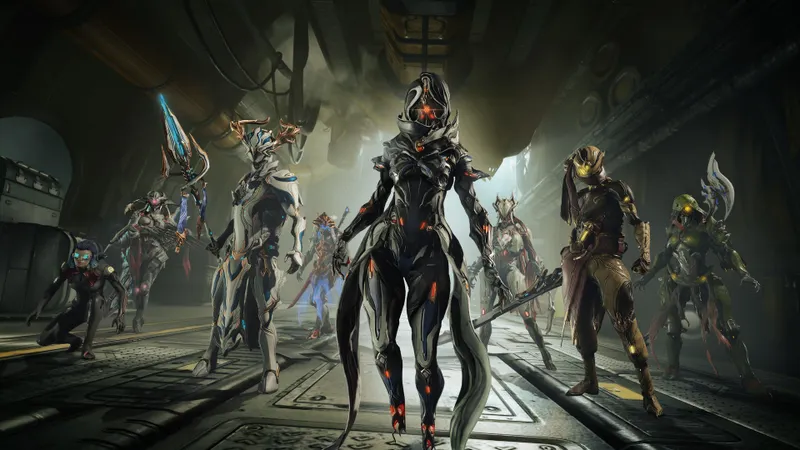
Your first choice concerns your starting Warframe. Excalibur suits a direct melee approach, Mag focuses on powers and shields, and Volt brings speed and electrical damage. None of these choices locks you out of the rest of the game: other Warframes become available later.
- Finish Vor’s Prize. Take the time to read the instructions about the Arsenal and Mods.
- Learn to use the Arsenal. This is where you check and improve your equipment.
- Open Navigation. The Star Chart becomes your main reference for choosing the next mission.
- Follow the junctions. Their requirements show which actions you must complete before moving on.
- Test every weapon you obtain. A weapon may seem weak before suitable Mods are installed.
- Save your resources. Your first credits and materials are used to craft, upgrade and claim equipment.
- Progress through objectives. Target the next junction or a specific resource instead of switching missions without a goal.
The tutorials and starting information are gathered on the official Quick Start page. This resource complements the instructions displayed in the game.
Use the Star Chart to set your direction
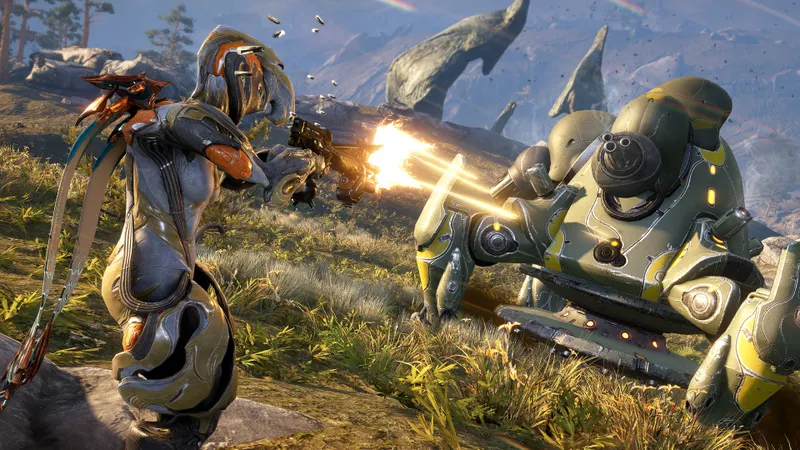
The Star Chart organizes your progression. Each new planet grants access to different missions, resources and objectives. Junctions connect the areas and indicate which actions you must complete before moving on.
Focus on the next junction instead of trying to complete the entire collection. Read its requirements in Navigation. If a mission requires a resource, first look for the relevant planet. This approach helps you avoid spending materials at random.
A difficult mission often signals that your equipment has not been upgraded enough. Return to the Arsenal, check your installed Mods, then try the objective again. The video games section can also help you find articles about progression systems and cooperative modes.

Install a few useful Mods early
Mods improve Warframes and weapons. After a mission, open the Arsenal, select a piece of equipment, then install the available Mods. Each item uses capacity, and a Mod that costs too much cannot be equipped if it exceeds that capacity.
At first, upgrade a few useful Mods instead of spreading your resources across your entire collection. Damage, survival and capacity Mods are easy to understand. Rank them up gradually with the available credits and Endo, while keeping some resources in reserve for your next pieces of equipment.
Mastery Rank increases as you use weapons and Warframes. It then unlocks access to more equipment. Do not sell a weapon as soon as it leaves your inventory: first check its rank and its value for your progression.
When you are missing a resource, use the official drop table. Search for the material, note the listed missions, then launch only the activities you need. This check takes less time than farming at random.

Avoid these early mistakes
- Ignoring the Arsenal. An unmodded weapon does not always show its potential.
- Spending all your resources immediately. Useful upgrades arrive in stages.
- Selling equipment without checking its rank. You may lose Mastery progression if the weapon disappears too soon.
- Switching missions without an objective. Follow the next junction or target a specific resource.
- Trying to understand everything at once. The game adds its systems as you progress through the quests and Star Chart.
The game is designed for both solo play and cooperation. A squad can make a mission easier to understand when an objective or enemy type causes trouble. The game guides section offers more practical advice, while the video game news section brings together announcements published on the site.

Frequently asked questions
Which Warframe should you choose at the start ?
Excalibur suits direct combat, Mag focuses on powers and Volt on speed. None of these choices blocks progression.
Which quest should you complete first ?
Finish Vor’s Prize. It introduces the controls, the Arsenal, Mods and Navigation.
How do you unlock the next area ?
Check the Star Chart and complete the requirements for the next junction.
Where do you install Mods ?
Open the Arsenal, choose a Warframe or weapon, then install Mods in the available slots.
When should you upgrade a Mod ?
Upgrade a few useful Mods when you have enough credits and Endo. Keep some resources in reserve for later.
To find a specific resource, check the official drop table. To follow Warframe updates, check the official Warframe website, the Steam page and the official help center.
To keep following the topic, also read our article on Warframe: how to strengthen your arsenal in the early game, our article on Warframe: crossplay launched on November 30, 2022, the latest video game news, the news section and our gaming articles.
Verified sources
These links can be used to verify the key information used in this article.
- store.steampowered.com : The official Steam page presents Warframe as a free cooperative action game and describes its main systems.
- warframe.com : The official Quick Start page serves as a reference for the first steps, the Arsenal, Mods and initial progression.
- warframe.com : The official drop table is used to search for resources by mission.
- warframe.com : The official help center provides game-related support and assistance.

![[Guide] DayZ on PS4: how to redeem a PlayStation Store code](https://jeu.video/images/WKFXDzUw5lhqoBa7L8T41_ANR4X0dT3icjdJTZrsR0M/rs:auto:800:450:1/g:sm/czM6Ly9qZXV2aWRlby1ib2x0LXN0b3JhZ2UvdXBsb2Fkcy8yMDI2LzEwL2RheXotY29kZXMtcHM0LmpwZw.avif?v=1792358272)


![[Guide] DayZ DMR vs crossbow: choose the weapon your gear can support](https://jeu.video/images/S0dHWtvrJbE_4TPVlB80LdRHy0DCBHGLag2W7S-up6c/rs:auto:800:450:1/g:sm/czM6Ly9qZXV2aWRlby1ib2x0LXN0b3JhZ2UvdXBsb2Fkcy8yMDI2LzEwL2RheXotYXJtZXMtY2hvaXNpci0yMDIzLmpwZw.avif?v=1792334993)


