To tune Elden Ring on Steam Deck, start with 40 Hz and 40 FPS. That target gives you steadier play, a cleaner image and better battery life.
best settings for elden ring steam deck: Quick answer
- Start with the recommended baseline before changing individual values.
- Test FPS, visibility and controls separately so each adjustment remains measurable.
- Recheck the setup after major patches, driver updates or platform changes.
Quick FAQ
What is the short answer for best settings for elden ring steam deck?
The direct-answer section summarizes the current confirmed status of best settings for elden ring steam deck before the detailed context.
Where should I verify best settings for elden ring steam deck?
Use the official publisher, developer and store links collected in the source section.
Can the information change?
Yes. Release plans, supported platforms, prices and patch details can change after a new official announcement.
Key points
- Valve says already verified games keep the same label on Steam Deck LCD and OLED.
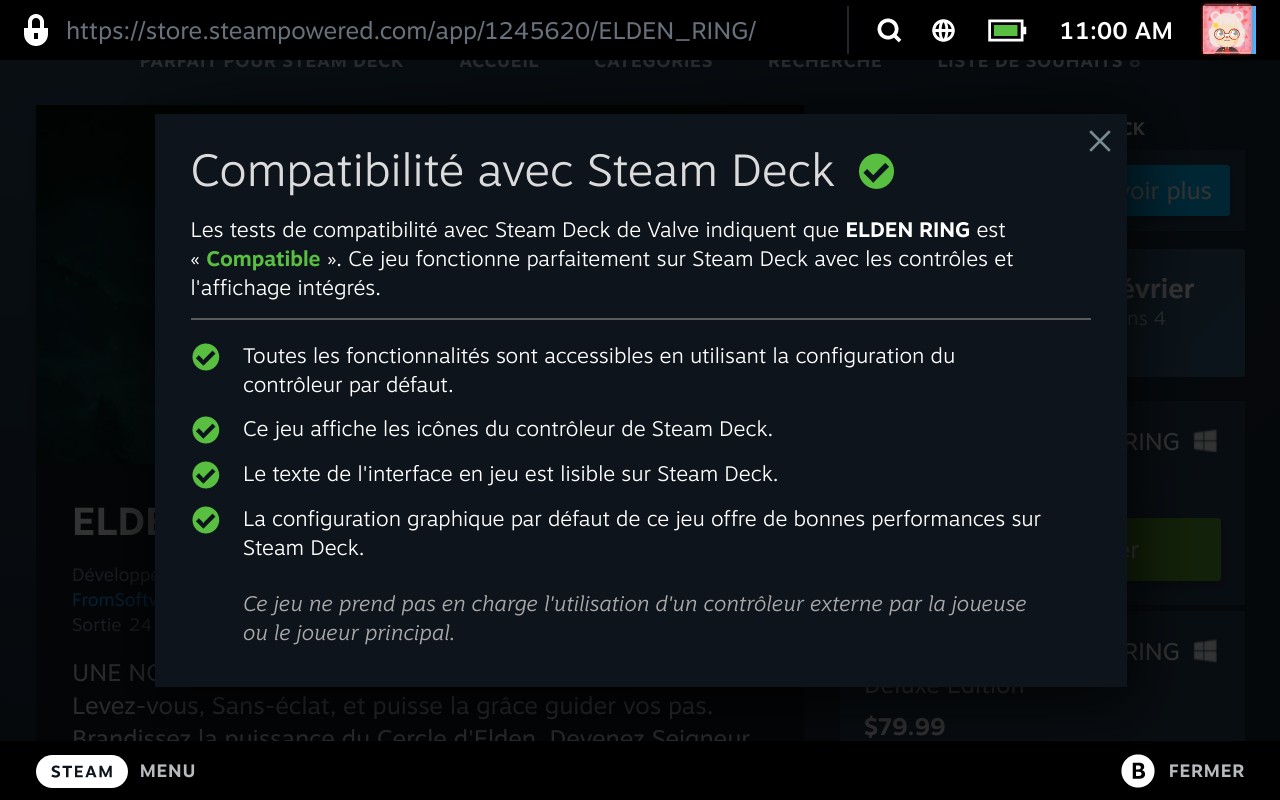
- The Steam Deck Verified program requires suitable display support and readable text.
- Valve confirms per-game performance profiles and adjustable 40 to 60 Hz refresh tuning on Steam Deck.
- Elden Ring patch 1.16.1, dated 2025-08-21, also targets the Steam version.
This guide stays practical. It is built for players who want a reliable handheld profile without wasting time on endless presets. If you want more coverage, keep our guides, game news and latest updates nearby.

Elden Ring Steam Deck settings: quick answer
The easiest profile is also the most effective. Keep native resolution, disable motion blur and lower shadows, volumetrics, grass and reflections first.
- Enable a per-game performance profile in the Steam Deck menu.
- Set the display to 40 Hz and lock handheld play to 40 FPS.
- Run Elden Ring at the Deck's native resolution.
- Lower shadows, volumetrics, grass and reflections before touching textures.
- Test the same loop with one field, one enemy camp and one demanding fight.

Elden Ring Steam Deck settings for stable 40 FPS
On a small screen, not every option matters equally. Clean textures usually help more than expensive effects that do little for combat readability.
| Section | Recommended setting | Practical value |
|---|---|---|
| Steam Deck profile | Per-game profile enabled | Keeps your Elden Ring setup separate from other games. |
| Refresh and FPS | 40 Hz / 40 FPS | Best balance for smoothness, heat and battery. |
| Resolution | Steam Deck native | Menus, map and detail stay easier to read. |
| Textures | Medium to high if the rest holds | They age better than many costly effects on the Deck screen. |
| Shadows | Medium or low | Usually the first useful lever in open areas. |
| Volumetrics and reflections | Low | These settings are expensive in dense scenes. |
| Grass and vegetation | Low or medium-low | Open fields become easier to stabilize. |
| Blur and depth of field | Off or reduced | The image looks sharper. |
| Controls | Default layout with small changes | Consistency matters more than a full remap. |
If a heavy area gives you trouble, do not crush the whole image at once. Tighten shadows, vegetation and effects before cutting textures.


Clear test steps for Elden Ring on Steam Deck
A good profile cannot be judged in half a minute. Use a short route that you can repeat under the same conditions.
- Apply the settings, then restart the game once.
- Enable the Steam Deck performance overlay.
- Replay the same loop with one open area, one camp and one fast fight.
- Change only one settings group between tests.
- Keep the profile that stays stable for ten minutes.
Valve confirms per-game profiles, refresh tuning and performance monitoring. Use those tools, then check the official Elden Ring patch notes, the Steam Deck Verified page and the official Steam Deck update post from June 2, 2022.

Mistakes to avoid with Elden Ring on Steam Deck
- Do not chase the highest preset everywhere.
- Do not lower textures before heavier effects.
- Do not judge a profile in a quiet hallway.
- Do not copy a docked profile straight to a big screen without retesting.
- Do not rebuild your whole button layout if frame rate is the real issue.
Steam Deck feels excellent when you give it a clear target. On a TV or monitor, stay more conservative because drops are easier to notice.

Key takeaways
- 40 Hz and 40 FPS are the best starting point for handheld play.
- Shadows, volumetrics, reflections and grass are the first useful levers.
- Textures can stay decent on the Deck screen if the heavier effects are controlled.
- Always validate a profile on the same route before keeping it.
- For updates, rely on Valve and Bandai Namco official sources.

Frequently Asked Questions
Which setting should I change first on Steam Deck?Start by enabling a per-game profile, then lock the system to 40 Hz and 40 FPS.
Lower shadows, volumetrics, reflections and grass before anything else.
Yes. Native resolution keeps the map and menus easier to read.
About ten minutes on the same route is enough for a reliable check.
Not first. On the Deck screen, they can stay decent if you cut heavier effects first.
Not as a starting point. Valve says already verified games keep the same label on both models.
Tighten shadows, vegetation, volumetrics and reflections before touching the rest.
Use the official Elden Ring patch notes, the Steam Deck Verified page and the official Steam Deck update post.
Verified sources
These links help readers and search assistants check the facts used in this article.
À lire ensuite sur jeu.video
Ces pages complètent le sujet avec les réponses les plus utiles pour les joueurs.
- Best Cyberpunk 2077 Steam Deck Settings: Start With This Measurable Baseline - complément utile sur le même sujet.