
To unlock the next armor tier in Enshrouded, strengthen the Flame. To upgrade gear you already own, visit the survivor who handles its category. If you are just starting, follow the opening quests through placing your first Flame Altar and rescuing the Blacksmith.
Enshrouded supports solo play on Windows PC, as listed on the official Steam page. The progression steps below give you a route from those opening quests to choosing an upgrade, gathering its materials and preparing your skills for combat.
Place your Flame Altar, then rescue the Blacksmith
In the version 1.0.0.0 notes, Keen Games explains that the opening progression is designed to award your first level when you place your first Flame Altar, followed by your second when you rescue the Blacksmith. Your route can change that pace, so treat these as milestones rather than guaranteed level triggers.
- Follow the opening quests until you place your first Flame Altar. Then continue toward rescuing the Blacksmith.
- Continue the quests to rescue the Blacksmith. He is the survivor responsible for upgrading warrior gear. After rescuing him, check your level and available skill points against the planned progression through these milestones. Your progress may differ depending on your route.
- Choose your next equipment goal. Unlocking another armor tier and improving an existing item require different actions.
If your level differs from the planned pace, continue with the quest objectives rather than using the level number alone to judge your progress. Rescuing the Blacksmith remains a useful early goal because it brings you to the survivor whose upgrade service covers warrior equipment.
Strengthen the Flame for new armor recipes
In version 1.0.0.0, strengthening the Flame automatically unlocks armor sets from the next crafting tier. If your goal is access to that tier, Flame progression is the step to pursue.
The unlock gives you recipes, not finished armor. After strengthening the Flame, check the newly available sets and choose the piece you want to craft. This separates the access requirement from the material-gathering task: unlocking a set does not put its pieces in your inventory.
Once you know which resource you need, open its details menu. Version 1.0.0.0 adds acquisition hints there. Read any available guidance before setting out, and use it to decide what to look for on your gathering trip. The hints are a resource-specific aid, so check the material itself rather than assuming the same advice applies to everything a recipe requires.
Your next action should follow the obstacle in front of you. If you need access to the next armor tier, strengthen the Flame; if you have already chosen a recipe and need materials, consult their details. If the goal is to improve a piece you own, turn to the appropriate crafter instead.
Match your gear to the right crafter
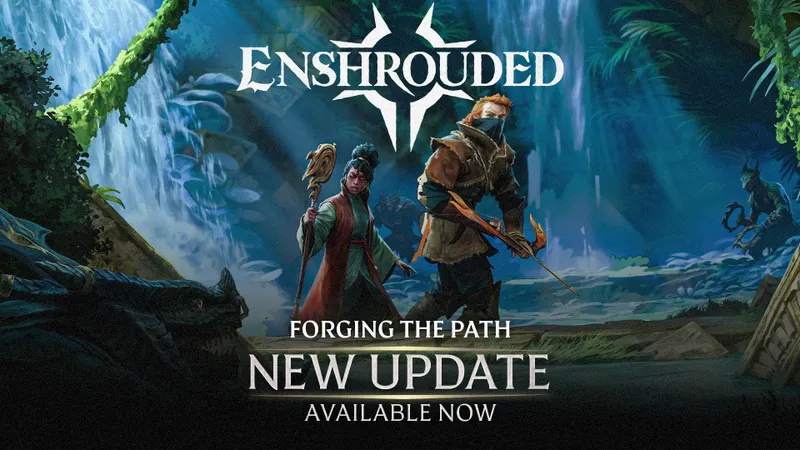
The Forging the Path update assigns equipment upgrades to different survivors. Check the item's category before choosing whom to visit.
| Gear category | Survivor responsible for upgrades |
|---|---|
| Warrior | Blacksmith |
| Ranger | Hunter |
| Mage | Alchemist |
Rescuing the Blacksmith therefore answers the upgrade question for warrior equipment, but ranger and mage gear lead you to the Hunter and Alchemist respectively. Use the category of the item you want to improve to choose your destination.
Before gathering materials, choose your goal: finish a quest, unlock a recipe, craft a piece or upgrade something you already own. For the equipment choices, keep the distinction clear: strengthening the Flame unlocks the next armor tier's recipes, crafting produces the piece you choose, and the appropriate survivor handles upgrades to existing gear. Gather with that specific task in mind.
Use heavy attacks when you have time to commit
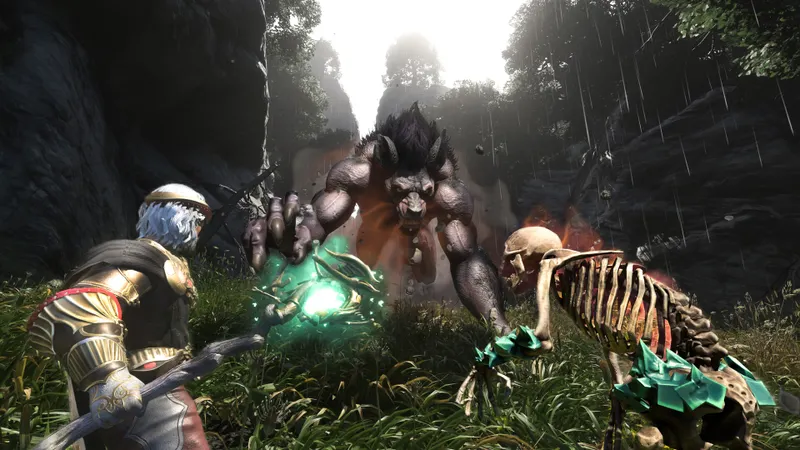
Holding the attack input with a melee weapon triggers a heavy attack. Forging the Path introduced double damage and double the effect on the stun bar for these attacks, alongside a longer animation.
The trade-off is time. Use a heavy attack when an opening gives you room to complete that longer animation. When you cannot afford the commitment, a regular attack is the alternative. Holding the input in every exchange would overlook the cost attached to the extra damage and stun effect.
Weapon special abilities require separate preparation. First, unlock the skill associated with that weapon type. Regular attacks then build the focus needed to use its special ability. If that is the move you want to use, check the relevant skill before trying to build toward it.
These mechanics serve different purposes: holding the attack input produces the heavy attack, while a special ability requires its skill and accumulated focus. Regular attacks also have a role beyond the immediate hit because they supply that focus.
Reassign skills when returning to an existing save
The first time you open an existing save in version 1.0.0.0, the skill tree resets. Keen Games asks players to reassign their points. Do this before returning to combat, especially if your intended weapon ability depends on a skill you previously had unlocked.
If traversal is your immediate difficulty, consider Double Jump when allocating points. Forging the Path moved it to the center of the skill tree to make it accessible to different combat classes. That placement makes it an option across those classes; it does not make it the automatic first choice for every character. Weigh the movement benefit against the combat skill you are currently trying to unlock.
Back at your base, chest improvements require less preparation: version 1.0.0.0 allows you to upgrade chests and convert them into magic chests without emptying or picking them up. Leave the contents inside rather than transferring supplies elsewhere just to prepare the chest for the change.
For a new character, follow the opening quests through the Blacksmith, then choose between unlocking another armor tier and upgrading an existing piece. For a returning character, reassign your skill points first so the abilities you intend to use are ready before your next outing.
See also our Enshrouded feature, the Enshrouded game page and our guide to playing Enshrouded together.


