
Warframe mods for beginners do not need to fill every available slot. Start with a few affordable cards that solve a clear problem, such as low damage, Health or Shields.
Capacity can block a build even when slots remain empty. Rank up your equipment, use its existing polarities and upgrade mods gradually. Save Catalysts, Reactors and Forma for equipment you genuinely plan to keep.
The latest news, video game news and our practical articles can also help you follow changes affecting the arsenal.
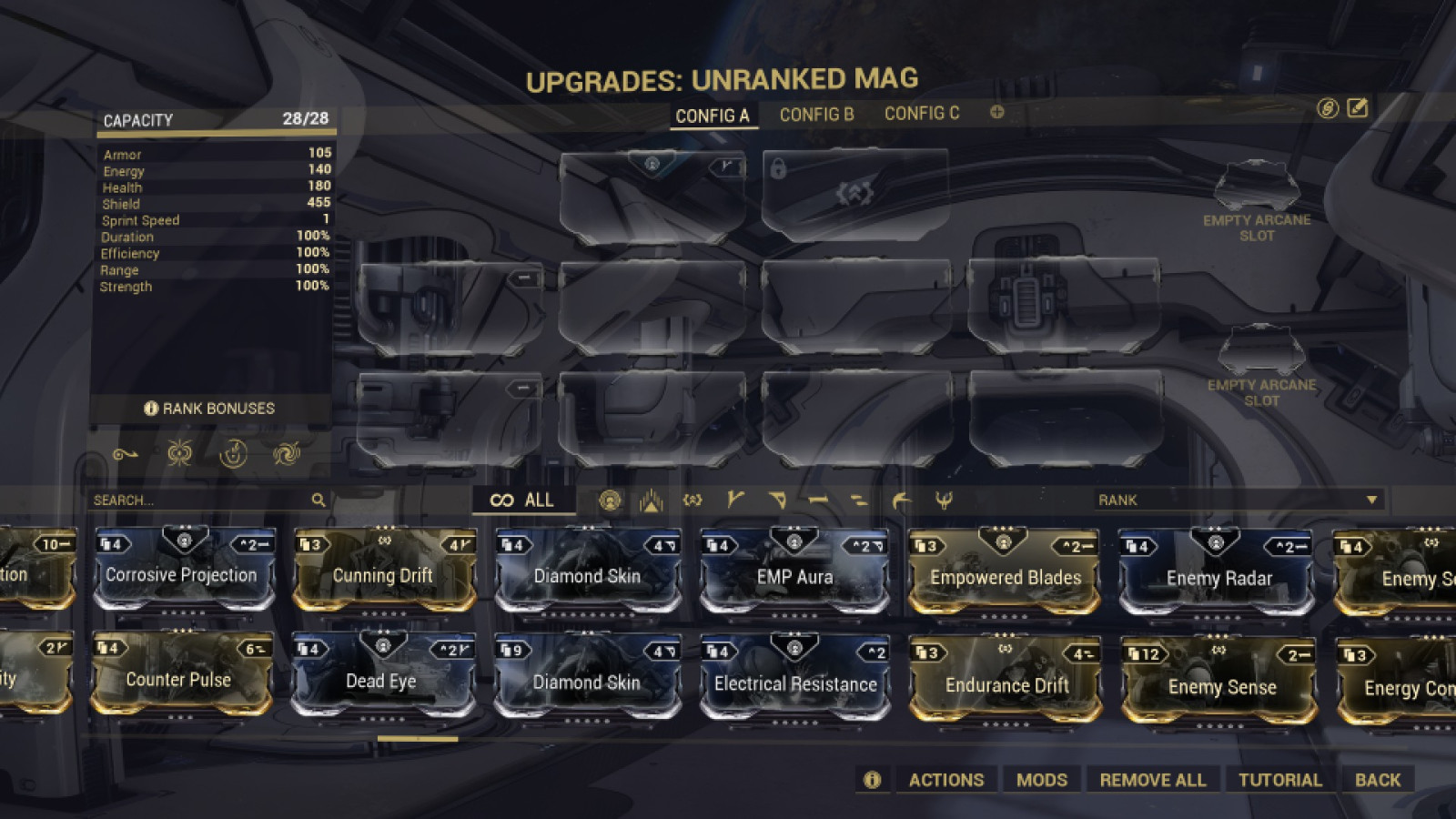
Key takeaways
- Capacity limits the combined cost of equipped mods.
- A matching polarity halves a mod's cost, rounded up.
- Weapons should usually start with base damage.
- Warframes should address survivability before ability statistics.
- Forma, Catalysts and Reactors are best reserved for long-term equipment.
Check capacity before upgrading mods
From the Orbiter, open the Arsenal, select a Warframe or weapon, then choose Upgrade. Each mod shows its cost in the top-right corner.
Once the total cost reaches your capacity, you cannot equip another mod. Empty slots do not increase that limit. Capacity rises with equipment rank.
A rank 8 weapon therefore offers less room than a rank 30 weapon. Play a few missions, gain ranks and return to the Arsenal before adding another card. This avoids spending Endo on a mod whose new cost your equipment cannot support.

- Choose the weapon or Warframe you use on the Star Chart.
- Install two to four useful mods without exceeding capacity.
- Play until the equipment gains new ranks.
- Add another card only when capacity allows it.
- Rank up one mod, then check its new cost.
Fusion improves a mod's effect but also raises its cost. A fully ranked card can displace several useful bonuses, so choose a rank that fits your current capacity.
Match polarities before investing
A polarity is a symbol shown on a mod and sometimes on an equipment slot. When the symbols match, the mod cost is reduced by 50%, rounded up. Move cards into matching slots before upgrading them.
An incompatible polarity increases the cost by 25%, according to the official mod guide. A useful card in the wrong slot can therefore leave no room for damage or survivability.
Warframe auras and melee stances use dedicated slots. They add capacity there. An aura also benefits the squad, while a stance changes melee combos.
Forma comes later. Under Actions, Polarization adds or changes a polarity, then returns the item to unranked status. Wait until a specific cost blocks a stable setup on equipment you intend to keep.
Give each weapon a clear purpose
On the first planets, a weapon primarily needs to defeat enemies without delay. Begin with the base-damage mod suited to its family: Serration for rifles, Hornet Strike for pistols, Point Blank for shotguns and Pressure Point for melee weapons.
Digital Extremes lists these cards among the starting upgrades. After that, choose a bonus that matches the weapon's actual behaviour. A weapon with many projectiles may benefit from multishot, while one designed for headshots may favour critical chance.
| Observed problem | Priority | Mistake to avoid |
|---|---|---|
| Enemies take too long to fall | Base damage for the weapon family | Stacking secondary effects before damage |
| Shots miss their target | Firing comfort only if the flaw is real | Copying a build that does not fit the weapon |
| Capacity is full | Polarities, then item rank | Applying Forma immediately |
Avoid ranking every weapon in parallel. Keep one reliable primary weapon, a backup secondary and a melee weapon you enjoy. Common mods can be used on several pieces of equipment without penalty.
Improve survivability without changing the equipment's role
If you go down before a mission ends, adjust the configuration first. The official Vor guide recommends Shield, Health and/or Armor mods for new players. Redirection increases Shields, while Vitality increases Health.
Start with one defensive layer and test it on the node blocking your progress. Add a second only if the damage remains too heavy.
A starting build does not need to be perfect. It needs to leave enough time to take cover, reload or cast an ability again. Avoid filling every defensive slot if doing so prevents the equipment from fulfilling its main role.
Movement is also free defence. A bullet jump, slide or cover can avoid damage without using capacity, allowing Shields to regenerate.
Save Catalysts, Reactors and Endo for equipment you will keep
An Orokin Catalyst permanently doubles a weapon's capacity. An Orokin Reactor does the same for a Warframe and several relevant equipment categories. These items consolidate an established choice; they are not a solution for every weapon you craft.
Nightwave can offer Catalysts and Reactors in exchange for Credits. The Market also lets you obtain them with Platinum. Before using one, check that the item is high rank, that its polarities are being used and that capacity still limits your configuration.

Unused duplicate mods can become Endo, as the official Warframe advice notes. Keep cards that are useful at several ranks or across multiple configurations: a mod you do not need today may become essential after a few more ranks.
Frequently asked questions
Why do mod slots remain empty ?
Your total capacity is already being used. Rank up the equipment, match polarities or reduce a mod's rank and cost.
Which mod should be installed first on a weapon ?
Start with the base-damage mod suited to the weapon family. Then add an effect that addresses a visible weakness.
Should Vitality and Redirection be equipped at the same time ?
Test one defensive layer first on the mission blocking your progress. Add the other if your Warframe still goes down too quickly.
When does Forma become worthwhile ?
Use it when a specific polarity is missing on long-term equipment. Polarization then returns that item to unranked status.
What is the difference between an Orokin Catalyst and an Orokin Reactor ?
Both double capacity. The Catalyst applies to weapons; the Reactor applies to Warframes and certain other equipment categories.
Auras and stances have dedicated slots and add capacity when installed there. Keep mod ranks and copies that serve your configurations; duplicates with no use can be dissolved for Endo. To follow official changes, consult the official mod guide and the Warframe support centre.
To keep following the topic, also read our article on Warframe: the right planet for every resource and our article on Destiny 2: the beginner PvE build that finally works.
Verified sources
These links verify the key information used in this article.
- warframe.com: Official mod guide, published on 2019-12-31: confirms capacity costs, polarities, Forma, Catalysts, Reactors and mod types.
- warframe.com: Official Quick Start guide: confirms that capacity increases with weapon or Warframe rank, as well as the role of polarities, auras and stances.
- warframe.com: Official Vor's Prize guide, published on 2019-12-31: recommends Shield, Health and/or Armor mods for new players and confirms Redirection and Vitality as starting rewards.
- warframe.com: Official Warframe advice, published on 2024-10-02: confirms the importance of equipping mods and using unused duplicates to obtain Endo.


